 openspp.org
Service point lifecycle
Contents
Service point lifecycle#
This guide is for implementers managing the operational status of service points over time.
Mental model#
A service point moves through lifecycle states based on its operational status:
State |
What it means |
Beneficiaries can use? |
|---|---|---|
Active + Contract |
Operating with a valid agreement |
Yes |
Active + No Contract |
Operating but contract expired or not set |
Yes (with warning) |
Disabled |
Temporarily or permanently shut down |
No |
Think of it like a store: it can be open (active), open but license expired (no contract), or closed (disabled).
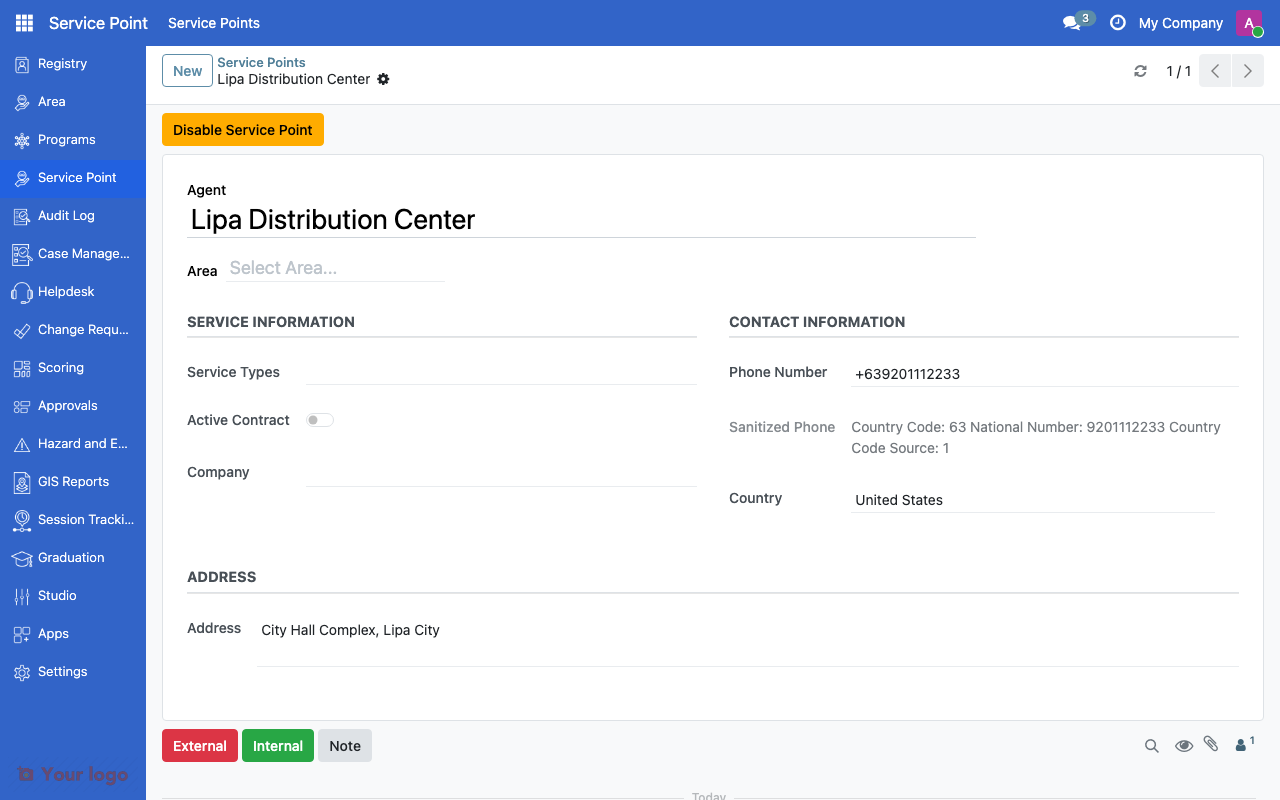
Service point form showing agent details, area, and contract status.#
Disabling a service point#
When a service point stops operating:
Open the service point record
Check the Disabled box
Set the Disabled Date (when it stopped operating)
Enter the Disabled Reason (e.g., "Contract terminated", "Flood damage")
Save
Field |
What it means |
|---|---|
Is Disabled |
Whether the point is currently inactive |
Disabled Date |
When the point was disabled |
Disabled Reason |
Why the point was disabled |
Note
Disabling a service point does not delete it. Historical records and transactions remain linked to the point.
Re-enabling a service point#
To reactivate a disabled service point:
Open the service point record
Uncheck the Disabled box
The disabled date and reason are preserved for audit purposes
Save
Contract status#
The Active Contract field tracks whether the managing organization has a current operating agreement:
Contract Status |
Meaning |
|---|---|
Active |
Valid agreement in place |
Inactive |
Agreement expired or not established |
Contract status is independent of the disabled flag. A service point can be active (not disabled) but have an inactive contract.
Bulk operations#
To manage multiple service points at once:
Go to the service point list view
Select multiple records using checkboxes
Use the Action menu for bulk operations:
Enable - Reactivate selected points
Disable - Deactivate selected points
Filtering by status#
Use the filter bar to find service points by status:
Filter |
Shows |
|---|---|
Active |
All non-disabled service points |
Disabled |
All disabled service points |
Active Contract |
Points with valid contracts |
No Contract |
Points without active contracts |
Combine filters to find specific subsets (e.g., "Active + No Contract" to find points needing contract renewal).
Are You Stuck?#
Can I delete a service point instead of disabling it?
Avoid deleting service points if they have linked transactions or beneficiary assignments. Disabling preserves the audit trail.
Beneficiaries are still assigned to a disabled service point?
Disabling a point does not automatically reassign beneficiaries. You need to reassign them to another active service point manually or through a program cycle.
How do I track contract expiry dates?
The current system tracks contract status as active/inactive. For detailed contract management with dates and terms, use the document management system to attach contract documents.
Next steps#
Service points overview - Service point fundamentals
Area management overview - Geographic area management