 openspp.org
Conditional logic
Contents
Conditional logic#
This guide is for implementers configuring entitlements with complex conditions that provide different benefits to different beneficiary groups.
Understanding conditional entitlements#
Conditional entitlements apply different rules based on beneficiary characteristics:
Scenario |
Condition logic |
|---|---|
Age-specific benefits |
Different amounts for children, adults, elderly |
Geographic targeting |
Urban vs rural rates |
Vulnerability supplements |
Extra for disabled, female-headed |
Program compliance |
Bonus for meeting requirements |
Condition basics#
Where conditions are used#
Conditions can be applied at two levels:
Level |
Purpose |
Effect |
|---|---|---|
Item condition |
Which beneficiaries get this item |
Skip item if false |
Formula condition |
Adjust amount calculation |
Change amount if true/false |
Condition syntax#
Conditions use CEL (Common Expression Language):
# Simple comparison
age_years(r.birthdate) >= 60

# Multiple conditions (AND)
age_years(r.birthdate) >= 18 and age_years(r.birthdate) < 60

# Either condition (OR)
me.is_disabled or me.has_chronic_illness

# Negation
not me.is_excluded
Item-level conditions#
Add conditions to entitlement items to control who receives each component.
Example: Age-segmented benefits#
Item 1: Child grant
Field |
Value |
|---|---|
Amount |
|
Condition |
|
Item 2: Adult benefit
Field |
Value |
|---|---|
Amount |
|
Condition |
|
Item 3: Senior pension
Field |
Value |
|---|---|
Amount |
|
Condition |
|
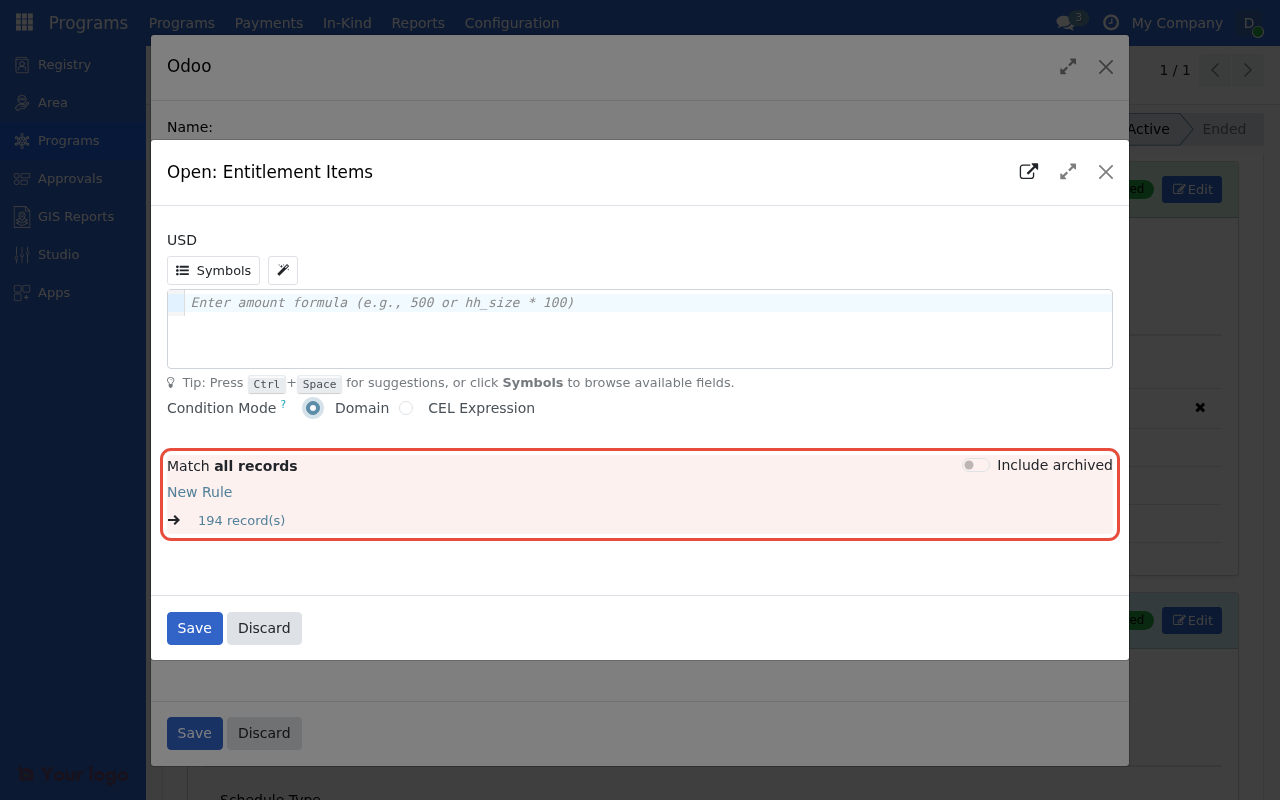
Entitlement items with age-based Condition expressions for different benefit amounts.#
Example: Supplement for special groups#
Item 1: Base amount (all)
Field |
Value |
|---|---|
Amount |
|
Condition |
(empty - all beneficiaries) |
Item 2: Disability supplement
Field |
Value |
|---|---|
Amount |
|
Condition |
|
Item 3: Female-headed supplement
Field |
Value |
|---|---|
Amount |
|
Condition |
|
Beneficiary with both disability and female-headed:
Base: $300
Disability: $100
Female-headed: $75
Total: $475
Formula-level conditions#
Use ternary operators in formulas for conditional calculations:
Basic ternary syntax#
condition ? value_if_true : value_if_false
Examples#
# Gender-based rate
me.gender == 'female' ? 550 : 500

# Urban premium
me.is_urban ? base_amount * 1.2 : base_amount

# Compliance bonus
me.is_compliant ? base_amount + 50 : base_amount
Complex condition patterns#
Nested conditions#
# Multiple tiers
me.pmt_score < 10 ? 600 :
  me.pmt_score < 20 ? 450 :
  me.pmt_score < 30 ? 300 : 200
Combined AND/OR#
# Vulnerable women (elderly OR disabled, AND female)
(age_years(me.birthdate) >= 60 or me.has_disability) and me.gender == 'female'
Household member conditions#
# Has children under 5
members.exists(m, age_years(m.birthdate) < 5)

# Has disabled member
members.exists(m, m.has_disability)

# Has female head
members.exists(m, head(m) and is_female(m.gender_id))
Mutual exclusion patterns#
When beneficiaries should only qualify for one category:
Using ordered items with "evaluate one"#
Enable Evaluate One Item on the manager to stop at first matching item:
Order |
Condition |
Amount |
|---|---|---|
1 |
|
$500 |
2 |
|
$400 |
3 |
(default) |
$300 |
Result: 80+ gets $500 only (not $500 + $400)
Using formula exclusion#
# Only if NOT in other category
age_years(me.birthdate) >= 60 and not me.receives_other_pension
Conditional amounts by category#
PMT score categories#
# Extreme poor / Poor / Near-poor
me.pmt_category == 'extreme_poor' ? 600 :
  me.pmt_category == 'poor' ? 400 :
  me.pmt_category == 'near_poor' ? 250 : 0
Registration type#
# Different rates by registration type
me.registration_type == 'refugee' ? 500 :
  me.registration_type == 'idp' ? 450 :
  me.registration_type == 'host_community' ? 350 : 300
Employment status#
# Unemployed get more
me.employment_status == 'unemployed' ? base_amount * 1.5 :
  me.employment_status == 'underemployed' ? base_amount * 1.2 : base_amount
Geographic conditions#
Area type#
# Urban / Peri-urban / Rural
me.area_type == 'urban' ? 600 :
  me.area_type == 'peri_urban' ? 500 : 400
Specific regions#
# Region-specific rates
me.region_id.code in ['REGION_1', 'REGION_2'] ? base_amount * 1.25 : base_amount
Climate zone#
# Extra for harsh climate
me.area_id.climate_zone == 'extreme' ? base_amount + 100 : base_amount
Time-based conditions#
Seasonal adjustments#
# Lean season supplement (assuming field tracks this)
me.is_lean_season ? base_amount * 1.3 : base_amount
Program phase#
# Different rates in different phases
me.enrollment_phase == 1 ? 500 :
  me.enrollment_phase == 2 ? 450 : 400
First-time vs continuing#
# Welcome bonus for new enrollees
me.is_first_cycle ? base_amount + 100 : base_amount
Compliance-based conditions#
Attendance compliance#
# Full benefit if compliant, reduced if not
me.attendance_compliant ? base_amount : base_amount * 0.5
Health checkup compliance#
# Bonus for completing health checks
base_amount + (me.health_checkup_complete ? 50 : 0)
Multiple compliance factors#
# Each compliance factor adds bonus
base_amount +
  (me.education_compliant ? 30 : 0) +
  (me.health_compliant ? 30 : 0) +
  (me.savings_compliant ? 20 : 0)
Real-world conditional scenarios#
Conditional cash transfer (education)#
Condition |
Amount |
|---|---|
Base (all enrolled) |
$100 |
Per elementary student |
$50 |
Per secondary student |
$75 |
85%+ attendance bonus |
$25 |
Implementation:
Item 1: Base $100 (no condition)
Item 2: $50 × elementary students
Item 3: $75 × secondary students
Item 4: $25 if me.attendance_rate >= 0.85
Emergency response (vulnerability-weighted)#
# Base + vulnerability factors
200 +
  (me.is_female_headed ? 50 : 0) +
  (me.has_disabled_member ? 75 : 0) +
  (me.has_elderly_member ? 40 : 0) +
  (me.has_children_under_5 ? 60 : 0)
Agricultural support (land-based)#
# Different rates by farm size
me.farm_hectares < 1 ? 200 :
  me.farm_hectares < 3 ? 350 :
  me.farm_hectares < 5 ? 500 : 600
Debugging conditions#
Common issues#
Problem |
Likely cause |
|---|---|
No beneficiaries match |
Condition too restrictive |
All beneficiaries match |
Condition too broad |
Wrong amount |
Logic error in formula |
Null errors |
Missing data in condition fields |
Testing approach#
Start with simple condition
Add complexity incrementally
Test with known beneficiaries
Verify edge cases
Logging for debugging#
Check entitlement preparation logs for:
Which conditions passed/failed
Calculated amounts per item
Total per beneficiary
Best practices#
Condition design#
Practice |
Benefit |
|---|---|
Keep conditions readable |
Easier maintenance |
Use meaningful field names |
Self-documenting |
Test all branches |
Avoid surprises |
Document logic |
Future reference |
Performance#
Practice |
Benefit |
|---|---|
Simple conditions first |
Faster evaluation |
Avoid redundant checks |
Cleaner logic |
Use indexed fields |
Faster queries |
Maintainability#
Practice |
Benefit |
|---|---|
One concept per item |
Clearer structure |
Consistent naming |
Easier understanding |
Version documentation |
Track changes |
Are you stuck?#
Condition never matches?
Test condition in isolation
Check field values in registry
Verify data types match
Wrong beneficiaries included?
Review AND/OR logic
Check operator precedence
Add parentheses for clarity
Formula error in condition?
Verify field names exist
Check CEL syntax
Test with symbol browser
Amounts incorrect?
Check each item separately
Verify condition evaluation order
Test with known beneficiary data
Next steps#
Formula library - Pre-built condition patterns
Dynamic entitlements - Household-based conditions
Cash calculations - Amount configuration