 openspp.org
Banking overview
Contents
Banking overview#
This guide is for implementers setting up banking information for cash transfer beneficiaries. You should know your program's payment channels but don't need programming knowledge.
Mental model#
Banking in OpenSPP has two layers:
Layer |
What it does |
Example |
|---|---|---|
Bank |
Financial institution definition |
"PhilBank", "M-Pesa Agent" |
Bank Account |
Individual beneficiary account details |
"Maria Santos - Account 1234567890" |
Think of it like a payroll system: banks are the institutions you pay through, and bank accounts are where each employee receives their salary.
Key concepts#
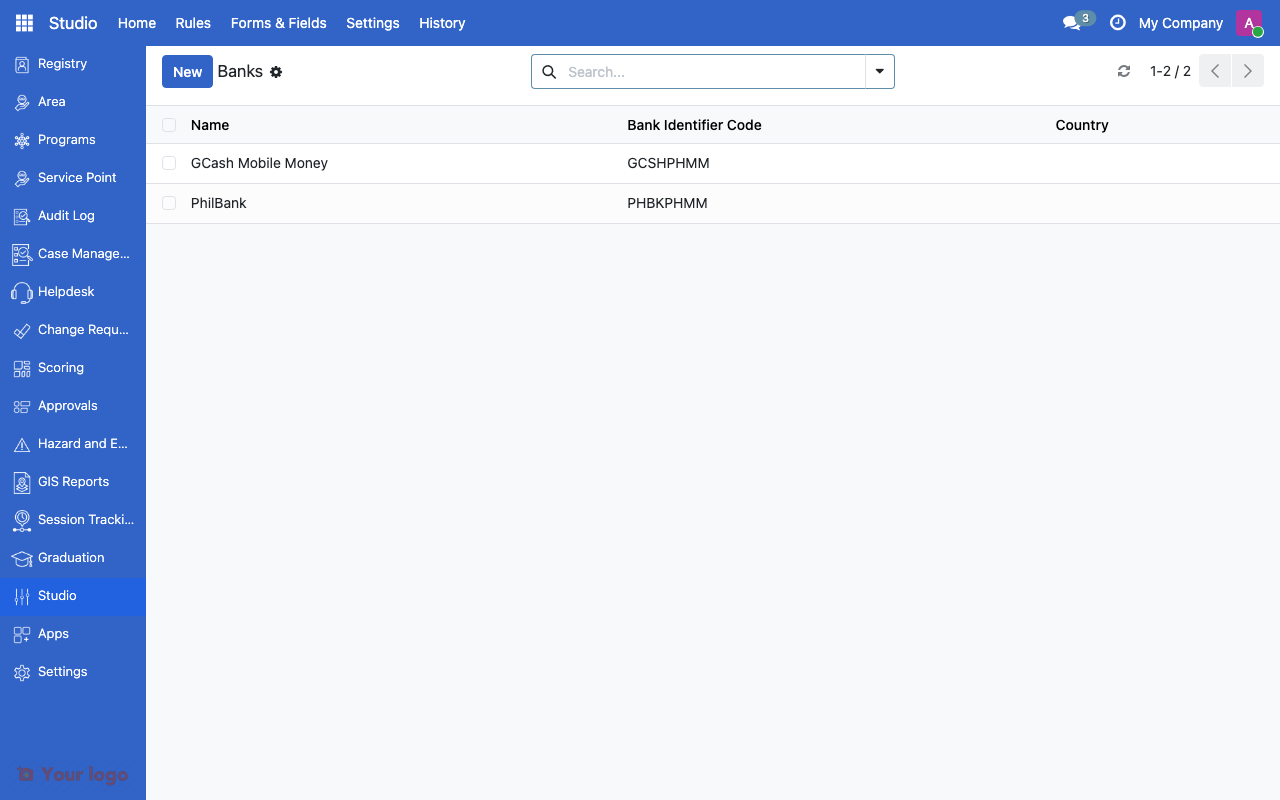
Bank configuration#
Banks are managed at the system level:
Field |
What it means |
|---|---|
Name |
Bank name |
BIC/SWIFT |
Bank identification code |
Country |
Bank's country |
Bank account fields#
Each registrant can have one or more bank accounts:
Field |
What it means |
|---|---|
Bank |
Which financial institution |
Account Number |
Account identifier |
Account Holder |
Name on the account |
Account Type |
Savings, Checking, Mobile Money, etc. |
Setting up banking#
Step 1: Configure banks#
Navigate to bank configuration
Add banks available in your program area
Include mobile money providers if applicable
Step 2: Add beneficiary accounts#
Open a registrant record
In the banking section, add account details
Select the bank, enter account number, and set account type
Step 3: Link to payment programs#
Bank account data is used by the payment/entitlement system when processing cash transfers. Ensure beneficiaries have valid bank accounts before running payment cycles.
Common use cases#
Use case 1: Bank transfer program#
Goal: Pay beneficiaries via direct bank deposit.
Setup:
Configure all partner banks
Ensure each beneficiary has bank account details
Use bank account data in payment processing
Use case 2: Mobile money program#
Goal: Pay beneficiaries via mobile wallet.
Setup:
Add mobile money providers as banks (GCash, M-Pesa, etc.)
Record phone numbers as account numbers
Set account type to "Mobile Money"
Are You Stuck?#
Bank list is empty?
Banks need to be configured first. Add the financial institutions used in your program area.
Beneficiary has multiple accounts - which is used for payment?
The payment system typically uses the first active bank account. Mark the preferred account accordingly.
How do I validate bank account numbers?
OpenSPP stores the account number as-is. Validation depends on the payment gateway integration.
Mobile money vs bank account - how to distinguish?
Use the Account Type field. Set it to "Mobile Money" for mobile wallets and "Savings" or "Checking" for traditional bank accounts.
Next steps#
Service points overview - Service points for cash-out
Entitlement formulas - Calculate payment amounts