 openspp.org
Dynamic entitlements
Contents
Dynamic entitlements#
This guide is for implementers configuring entitlements that vary based on household composition and beneficiary attributes.
What are dynamic entitlements?#
Dynamic entitlements adjust benefit amounts based on beneficiary characteristics rather than providing a fixed amount to everyone.
Approach |
Example |
|---|---|
Fixed |
Every household gets $500 |
Dynamic |
$200 base + $50 per child + $30 per elderly |
Why use dynamic entitlements?#
Benefit |
Description |
|---|---|
Equity |
Larger households receive proportionally more |
Targeting |
Extra support for vulnerable groups |
Flexibility |
Adapt to diverse household situations |
Policy alignment |
Match benefit to actual need |
Household-based calculations#
Using multiplier fields#
The simplest approach uses a multiplier field — any integer field on the registrant model:
Field |
Value |
|---|---|
Amount |
|
Multiplier Field |
(select an integer field, e.g., household member count) |
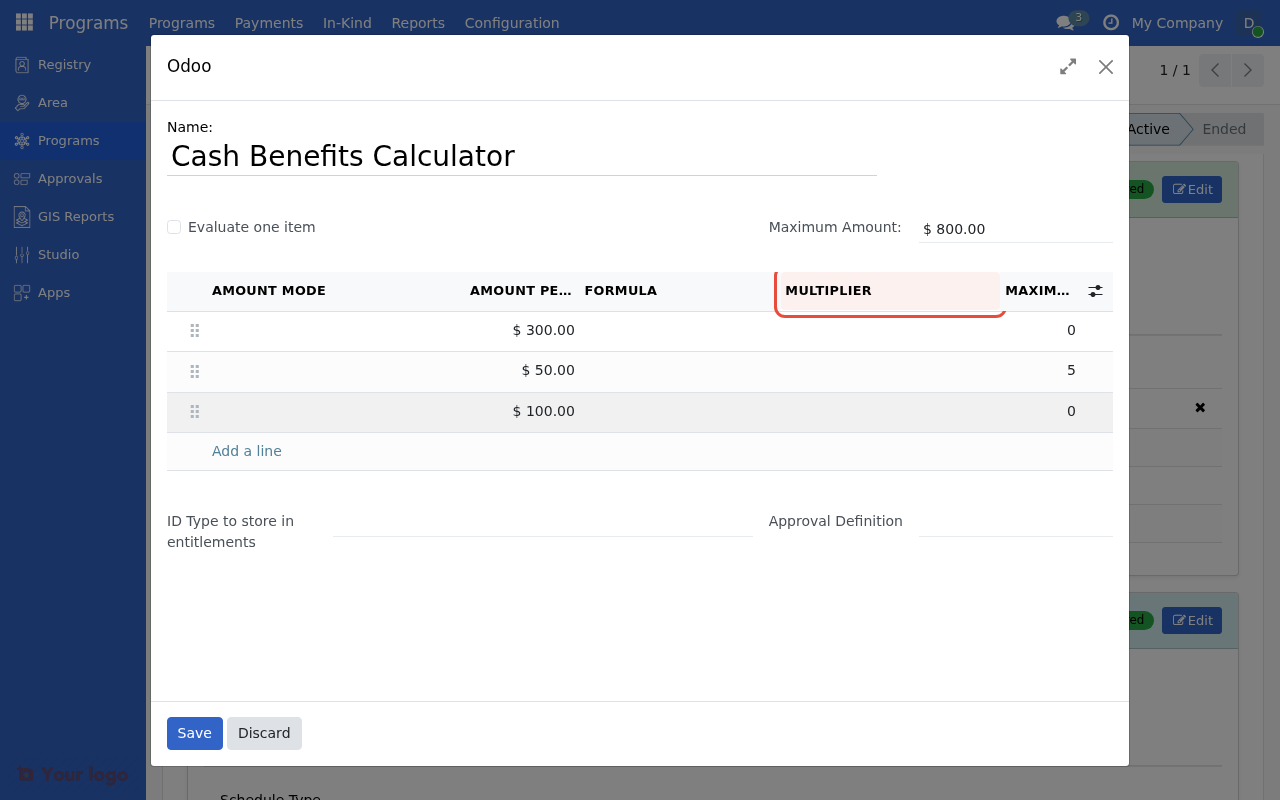
Set the Multiplier Field to scale the amount by a beneficiary attribute.#
About multiplier fields#
The Multiplier Field dropdown shows all integer fields available on the registrant model. Typical deployments create computed fields for member counts by category (e.g., total members, children, adults, elderly). The specific fields available depend on your deployment's configuration.
Note
If you don't see the fields you need, ask your administrator to create computed integer fields on the registrant model via Studio or a custom module.
Capping multipliers#
Prevent excessive amounts with Max Multiplier:
Field |
Value |
|---|---|
Amount |
|
Multiplier Field |
(select household member count field) |
Max Multiplier |
|
Result: Maximum 8 × $100 = $800, even for larger households
Multiple component entitlements#
Combine multiple entitlement items for complex calculations:
Example: Base + child supplement#
Item 1: Base amount for all
Field |
Value |
|---|---|
Amount |
|
Condition |
(empty) |
Item 2: Per-child supplement
Field |
Value |
|---|---|
Amount |
|
Multiplier Field |
(select children under 5 count field) |
Max Multiplier |
|
Result for household with 3 children under 5:
Base: $300
Children: 3 × $50 = $150
Total: $450
Example: Comprehensive family support#
Item 1: Base
Amount:
200Condition: (empty)
Item 2: Per child under 18
Amount:
40Multiplier:
num_childrenMax:
6
Item 3: Per elderly member
Amount:
30Multiplier:
num_elderlyMax:
2
Item 4: Female-headed supplement
Amount:
75Condition:
me.is_female_headed
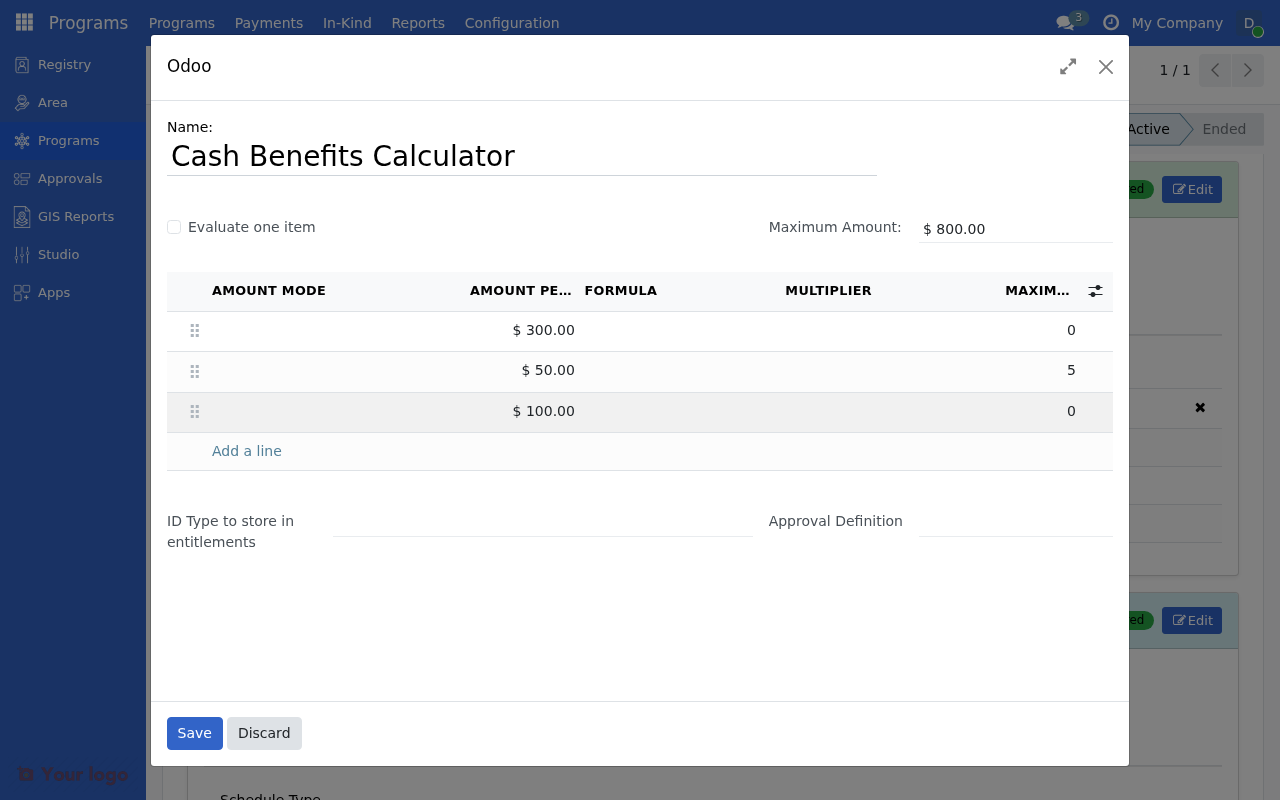
Multiple entitlement items with different amounts, multipliers, and conditions.#
Formula-based dynamic calculations#
For complex logic, use CEL formulas:
Household size with tiers#
# Different per-person rate by household size
me.household_size <= 3 ? base_amount * me.household_size :
  me.household_size <= 6 ? base_amount * me.household_size * 0.9 :
  base_amount * me.household_size * 0.8
Effect: Decreasing marginal rate for larger households
Composition-weighted formula#
# Weight by member type
(me.num_adults * 100) +
(me.num_children * 60) +
(me.num_elderly * 80) +
(me.num_disabled * 120)
Equivalence scale#
# OECD-style equivalence scale
# First adult: 1.0, additional adults: 0.5, children: 0.3
(1.0 +
  ((me.num_adults - 1) * 0.5) +
  (me.num_children * 0.3)) * base_amount
Age-based entitlements#
Age thresholds#
Configure different amounts by age group:
Item 1: Children (under 18)
Field |
Value |
|---|---|
Amount |
|
Condition |
|
Item 2: Working age (18-59)
Field |
Value |
|---|---|
Amount |
|
Condition |
|
Item 3: Elderly (60+)
Field |
Value |
|---|---|
Amount |
|
Condition |
|
Age-based formula#
# Sliding scale by age
age_years(me.birthdate) < 18 ? 200 :
  age_years(me.birthdate) < 60 ? 300 :
  age_years(me.birthdate) < 75 ? 400 : 500
Vulnerability-based adjustments#
Disability supplement#
Field |
Value |
|---|---|
Amount |
|
Condition |
|
Chronic illness supplement#
base_amount + (me.has_chronic_illness ? 75 : 0)
Multiple vulnerability factors#
# Cumulative supplements
base_amount +
  (me.has_disability ? 100 : 0) +
  (me.has_chronic_illness ? 75 : 0) +
  (me.is_orphan ? 50 : 0)
Geographic adjustments#
Urban vs rural#
# Higher cost of living in urban areas
me.area_type == 'urban' ? base_amount * 1.2 : base_amount
Regional variations#
# Different rates by region
me.region_code == 'METRO' ? 600 :
  me.region_code == 'URBAN' ? 500 :
  me.region_code == 'RURAL' ? 400 : 350
Dependency ratio calculations#
Simple dependency ratio#
# More support for higher dependency ratios
base_amount * (1 + (me.dependency_ratio * 0.2))
Counted dependents#
# $50 per dependent (children + elderly)
base_amount + ((me.num_children + me.num_elderly) * 50)
Real-world examples#
Cash transfer program (Philippines 4Ps style)#
Component |
Amount |
Condition |
|---|---|---|
Health grant |
₱750 |
All households |
Education (elementary) |
₱300/child |
Children 6-11 |
Education (secondary) |
₱500/child |
Children 12-18 |
Rice subsidy |
₱600 |
All households |
Implementation:
4 entitlement items with appropriate conditions and multipliers.
Emergency food assistance#
Component |
Amount |
Logic |
|---|---|---|
Base ration |
$50 |
All |
Per person |
$15 |
× household size |
Infant supplement |
$25 |
× infants |
Maximum |
$200 |
Cap |
Formula:
min(50 + (me.household_size * 15) + (me.num_infants * 25), 200)
Testing dynamic entitlements#
Test scenarios#
Household |
Expected calculation |
|---|---|
1 adult |
Base only |
2 adults, 2 children |
Base + (2 × child rate) |
1 elderly, 3 children |
Base + elderly + (3 × child) |
10-member household |
Check max cap applies |
Validation checklist#
[ ] Test minimum household (1 person)
[ ] Test maximum expected household size
[ ] Test edge cases (0 children, 0 elderly)
[ ] Verify caps work correctly
[ ] Check null/missing data handling
Best practices#
Design principles#
Principle |
Application |
|---|---|
Simplicity |
Fewer items are easier to explain |
Transparency |
Beneficiaries should understand their amount |
Equity |
Similar households get similar amounts |
Efficiency |
Avoid over-complex formulas |
Documentation#
Document your calculation logic:
Document |
Include |
|---|---|
Policy reference |
Legal/regulatory basis |
Calculation method |
Formula explanation |
Component breakdown |
What each item represents |
Examples |
Sample calculations |
Are you stuck?#
Amounts don't match expectations?
Review each item's contribution separately
Check multiplier field has correct values
Verify conditions aren't excluding beneficiaries
Multiplier field shows 0?
Check field name is correct
Verify data exists in registry
Ensure field is computed/updated
Complex formula errors?
Break into multiple simpler items
Test formula components separately
Use parentheses for clarity
Next steps#
Formula library - Copy-paste formulas
Conditional logic - Complex condition patterns
Cash calculations - Detailed configuration
Social pension#
Age group
Amount
60-69
$100
70-79
$150
80+
$200
Formula: