 openspp.org
Service points overview
Contents
Service points overview#
This guide is for implementers setting up service delivery locations in OpenSPP. You should know your program's delivery network but don't need programming knowledge.
Mental model#
Service points in OpenSPP have three layers:
Layer |
What it does |
Example |
|---|---|---|
Location |
Physical or virtual point where services are delivered |
"Barangay 12 Health Center" |
Agent |
Person or organization operating the point |
"Maria Santos - Community Health Worker" |
Contract |
Operational status and agreement with the managing entity |
Active contract until Dec 2026 |
Think of it like a franchise: the location is the store, the agent is the franchisee, and the contract tracks whether the store is currently operating.
Key concepts#
Service point fields#
Field |
What it means |
Required |
|---|---|---|
Agent |
Name of the person or entity operating the point |
Yes |
Area |
Geographic area where the point is located |
No |
Service Types |
Types of services offered (from vocabulary) |
No |
Phone Number |
Contact number (auto-validated) |
No |
Address |
Physical address |
No |
Country |
Defaults to the company's country |
No |
Company |
Managing organization |
No |
Active Contract |
Whether the point has a current operating agreement |
No |
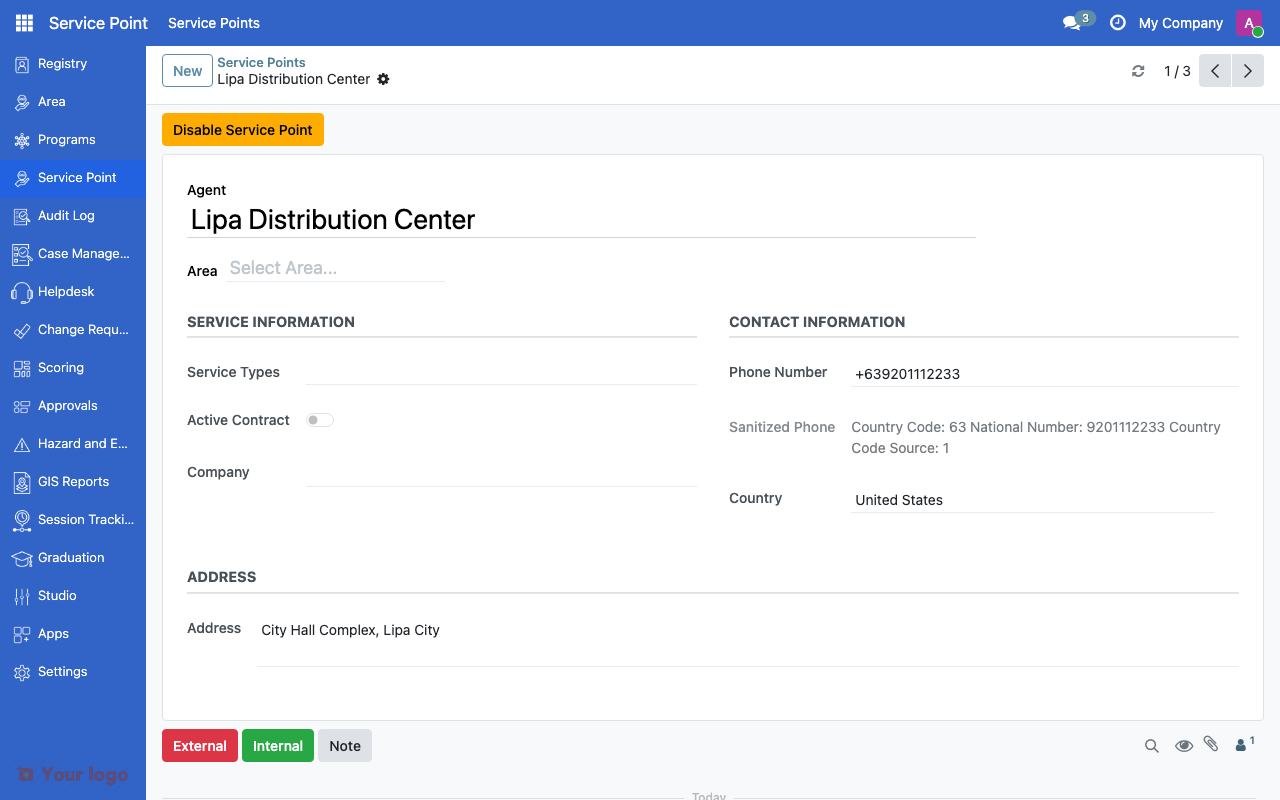
Service point form with agent name, area, phone, and address fields.#
Service types#
Service types come from the vocabulary system (a managed list of pre-defined options). Common examples:
Service Type |
Description |
|---|---|
Cash-out point |
Location for cash benefit collection |
Distribution center |
In-kind benefit distribution |
Registration center |
Beneficiary enrollment location |
Mobile unit |
Traveling service delivery |
Health facility |
Medical services delivery |
To add custom service types, configure them in the vocabulary system under the appropriate vocabulary.
Area assignment#
Linking a service point to an area enables:
Geographic filtering (find service points in a region)
Program targeting (assign beneficiaries to nearest service point)
Reporting (service coverage by area)
Company linkage#
The Company field links the service point to a registered organization in the system. This tracks which organization operates the point.
Navigation#
Menu |
Purpose |
|---|---|
Service Points |
View and manage all service points |
Service Points > Configuration |
Service point settings (managers only) |
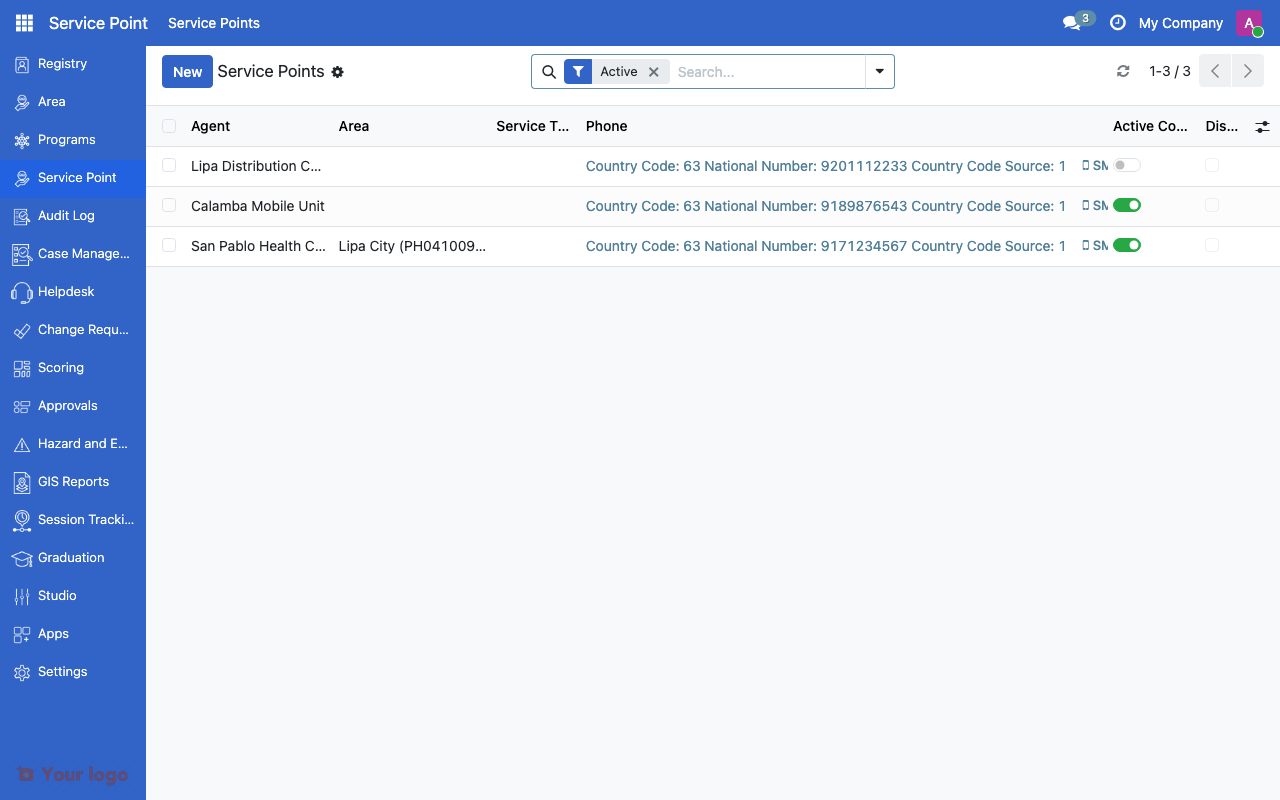
Service points list view showing agent names, areas, and contract status.#
Common use cases#
Use case 1: Rural cash-out network#
Goal: Set up mobile money agent locations across rural areas.
Setup:
Create service points for each agent location
Assign the "Cash-out point" service type
Link each point to its geographic area
Set the managing company (e.g., the mobile money provider)
Mark active contracts for currently operating points
Use case 2: Vaccination campaign sites#
Goal: Configure temporary distribution sites for a health campaign.
Setup:
Create service points for each site
Assign "Health facility" or a custom service type
Link to areas for geographic coverage tracking
After the campaign, disable inactive sites (see Service point lifecycle)
Use case 3: User accounts for service point staff#
Goal: Create login accounts for staff at each service point.
Setup:
Open the service point record
Use the Create User action to generate a user account
The user is automatically linked to the service point
Assign appropriate roles for the user's access level
Are You Stuck?#
Where do I find service points?
Look for Service Points in the main navigation menu. If you don't see it, ask your system administrator to install the Service Points module.
Service types list is empty?
Service types come from the vocabulary system. Check that the relevant vocabulary is configured with service type codes.
Can a service point belong to multiple areas?
No. Each service point is linked to one area. If a service point serves multiple areas, assign it to the parent area that covers all of them.
How do I bulk-create service points?
Use the standard Odoo import feature (Import Records) with a CSV or Excel file containing the service point data.
Phone number validation fails?
The phone number field automatically checks the format. Make sure the number includes the country code (e.g., +63 for Philippines) or that the country is set on the record.
Next steps#
Service point lifecycle - Managing service point operational status
Area management overview - Set up areas for service point assignment
Vocabulary Overview - Configure service type vocabularies