 openspp.org
Case management overview
Contents
Case management overview#
This guide is for implementers configuring case management in OpenSPP. You should understand your program's case workflow requirements but don't need programming knowledge.
Mental model#
Case management in OpenSPP has four layers:
Layer |
What it does |
Example |
|---|---|---|
Case type |
Categorizes the intervention domain |
"Child Protection", "Disability Assessment" |
Stage |
Tracks where a case is in its lifecycle |
"Intake", "Assessment", "Intervention", "Closed" |
Team |
Assigns case workers and manages capacity |
"Region 4 Protection Team" |
Assessment |
Records risk factors and vulnerabilities |
"High risk: domestic violence, food insecurity" |
Think of it like a hospital: case types are medical specialties, stages track the patient journey (triage → diagnosis → treatment → discharge), teams are the ward staff, and assessments are the diagnostic results.
Key concepts#
Case types#
Case types define the program domain for each case. OpenSPP supports these domains:
Domain |
Description |
|---|---|
Social Protection |
General social protection interventions |
Child Protection |
Child welfare and safety |
GBV |
Gender-based violence response |
Disability |
Disability assessment and support |
Elderly |
Elderly care programs |
Livelihoods |
Economic empowerment and skills |
Agriculture |
Agricultural extension and support |
Health |
Health interventions |
Education |
Education support programs |
Other |
Custom or cross-cutting domains |
Each case type also defines:
Field |
What it means |
|---|---|
Code |
Unique identifier (e.g., "CP" for Child Protection) |
Default Intensity |
Initial intensity level (1-3) |
Recommended Caseload |
Suggested cases per worker |
Maximum Caseload |
Hard limit per worker |
Review Frequency |
Days between mandatory reviews |
Available Stages |
Which stages apply to this type |
Intensity levels#
Cases have three intensity levels that affect workload calculation:
Level |
Meaning |
Typical workload impact |
|---|---|---|
1 - Low |
Monitoring only, minimal intervention |
Low effort |
2 - Medium |
Active intervention with regular contact |
Moderate effort |
3 - High |
Intensive support, frequent contact |
High effort |
Navigation#
Menu |
Purpose |
|---|---|
Cases > All Cases |
View all cases in the system |
Cases > My Cases |
View cases assigned to you |
Cases > Unassigned Cases |
Cases not yet assigned to a worker |
Cases > Activities |
Visits, notes, referrals, assessments |
Cases > Planning |
Intervention plans and individual interventions |
Cases > Configuration > Case Types |
Define case type domains |
Cases > Configuration > Case Stages |
Configure lifecycle stages |
Cases > Configuration > Case Teams |
Manage teams and assignments |
Cases > Configuration > Risk Factors |
Define risk assessment categories |
Cases > Configuration > Vulnerabilities |
Define vulnerability categories |
Cases > Configuration > Closure Reasons |
Configure case closure outcomes |
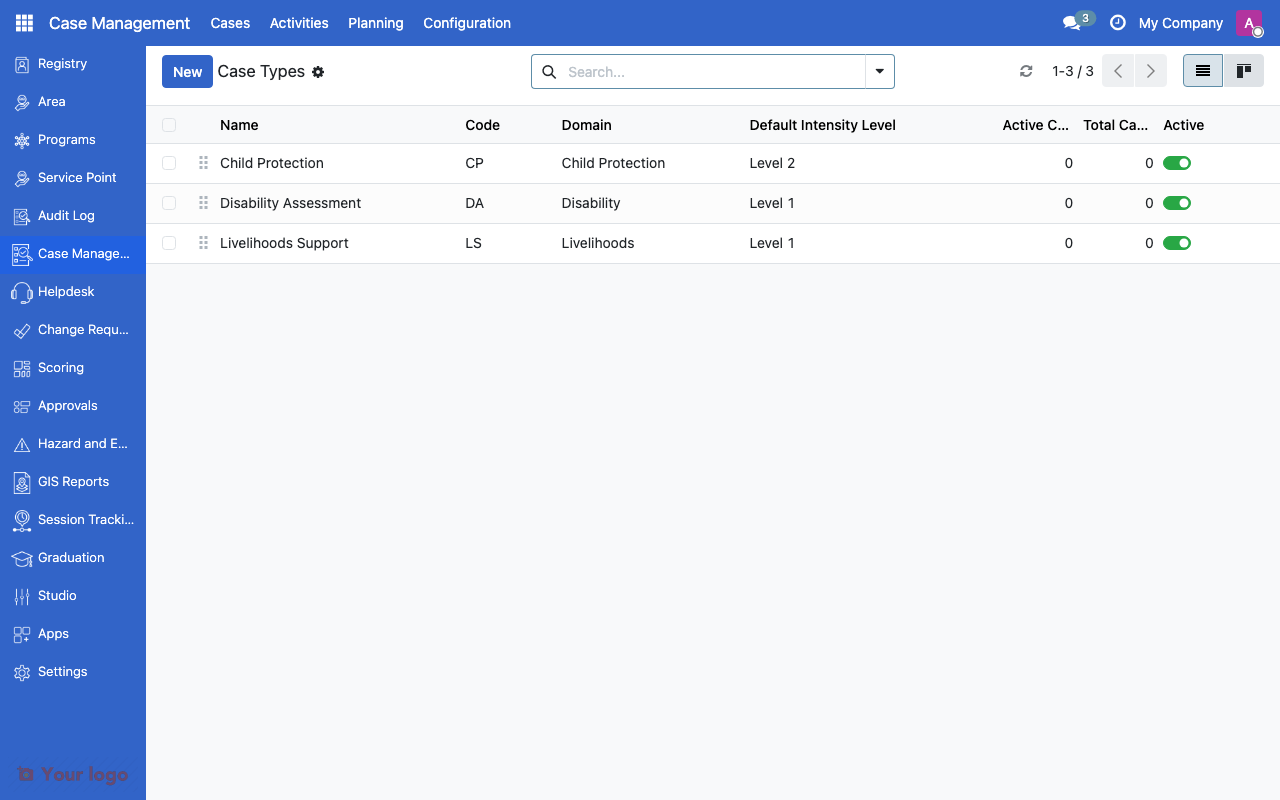
Case types list showing domain, intensity level, and caseload limits.#
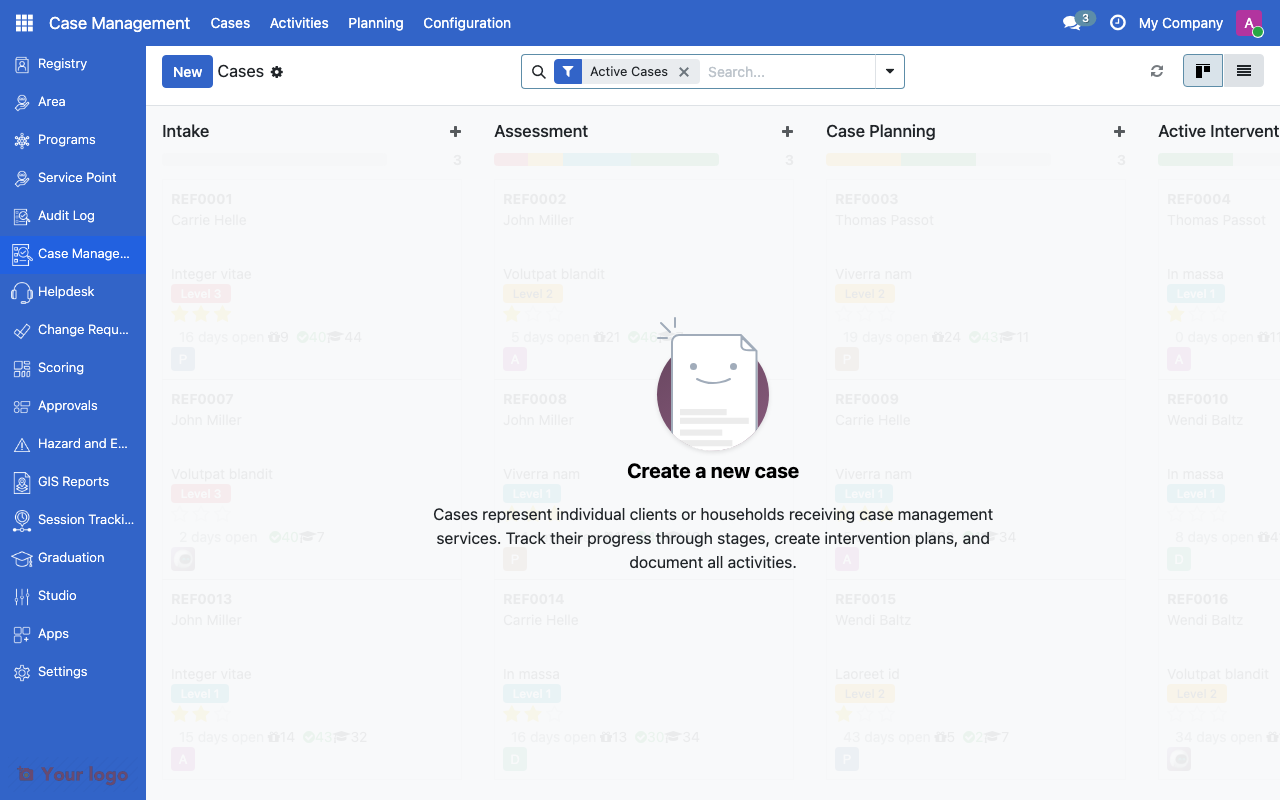
Cases board view showing cases organized by stage columns.#
Common use cases#
Use case 1: Child protection program#
Goal: Track child welfare cases from referral to resolution.
Setup:
Create a "Child Protection" case type with domain = Child Protection
Set review frequency to 14 days (biweekly check-ins)
Configure stages: Referral → Intake → Assessment → Case Plan → Intervention → Monitoring → Closure
Create risk factors: Abuse, Neglect, Exploitation, Abandonment
Set recommended caseload to 25 per worker
Use case 2: Disability assessment#
Goal: Process disability assessments for benefit eligibility.
Setup:
Create a "Disability Assessment" case type with domain = Disability
Set review frequency to 30 days
Configure stages: Application → Medical Review → Assessment → Decision → Closed
Require assessment at the "Medical Review" stage
Require approval at the "Decision" stage
Are You Stuck?#
Where do I configure case management?
Go to Cases > Configuration. You'll find Case Types, Stages, Teams, Risk Factors, Vulnerabilities, and Closure Reasons.
Case types vs. program types - what's the difference?
Case types track individual interventions (one case = one person). Programs track collective benefits (one program = many beneficiaries). A case can be linked to a program, but they serve different purposes.
Can one person have multiple open cases?
Yes. A registrant can have cases of different types open simultaneously (e.g., both a Child Protection case and a Health case).
How do I link cases to programs?
Ask your administrator to install the Case Programs module to enable program linkage on cases. This adds program and entitlement tracking to case records.
Caseload limit exceeded - what happens?
The system warns when a worker exceeds their recommended caseload. The maximum caseload is a hard limit that prevents new case assignments.
Next steps#
Case stages - Configure case lifecycle stages
Case teams - Set up case management teams
Approval workflows overview - Configure approval for stage transitions