 openspp.org
Session tracking overview
Contents
Session tracking overview#
This guide is for implementers setting up training and session attendance monitoring. You should know your program's attendance requirements but don't need programming knowledge.
Mental model#
Session tracking in OpenSPP has three layers:
Layer |
What it does |
Example |
|---|---|---|
Session type |
Defines the kind of session and its schedule |
"Family Development Session - monthly" |
Session |
A specific instance of a session type |
"FDS - March 2026 - Barangay 12" |
Attendance |
Individual registrant attendance records |
"Maria Santos - Present" |
Think of it like a class schedule: the session type is the course (with frequency and topics), each session is a class meeting, and attendance is the roll call.
Key concepts#
Session types#
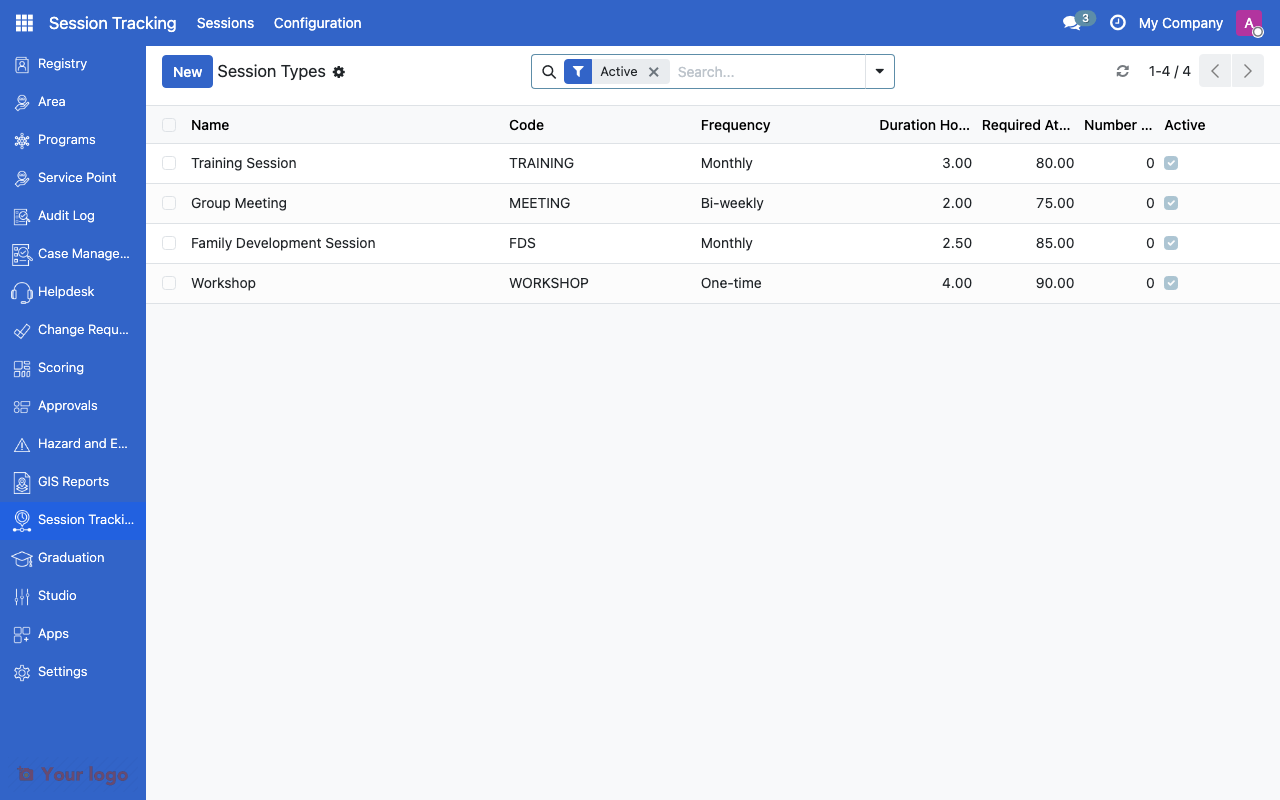
Session types list showing frequency, duration, and attendance threshold.#
Field |
What it means |
|---|---|
Name |
Type label (e.g., "Family Development Session") |
Frequency |
How often sessions occur |
Duration |
Expected length in hours |
Required Attendance |
Minimum attendance percentage for compliance |
Topic Tracking |
Whether to track topics per session |
Topics |
List of topics (when tracking is enabled) |
Frequency options#
Frequency |
Meaning |
|---|---|
Weekly |
Once per week |
Bi-weekly |
Every two weeks |
Monthly |
Once per month |
Quarterly |
Every three months |
One-time |
Single session, no recurrence |
Pre-configured session types#
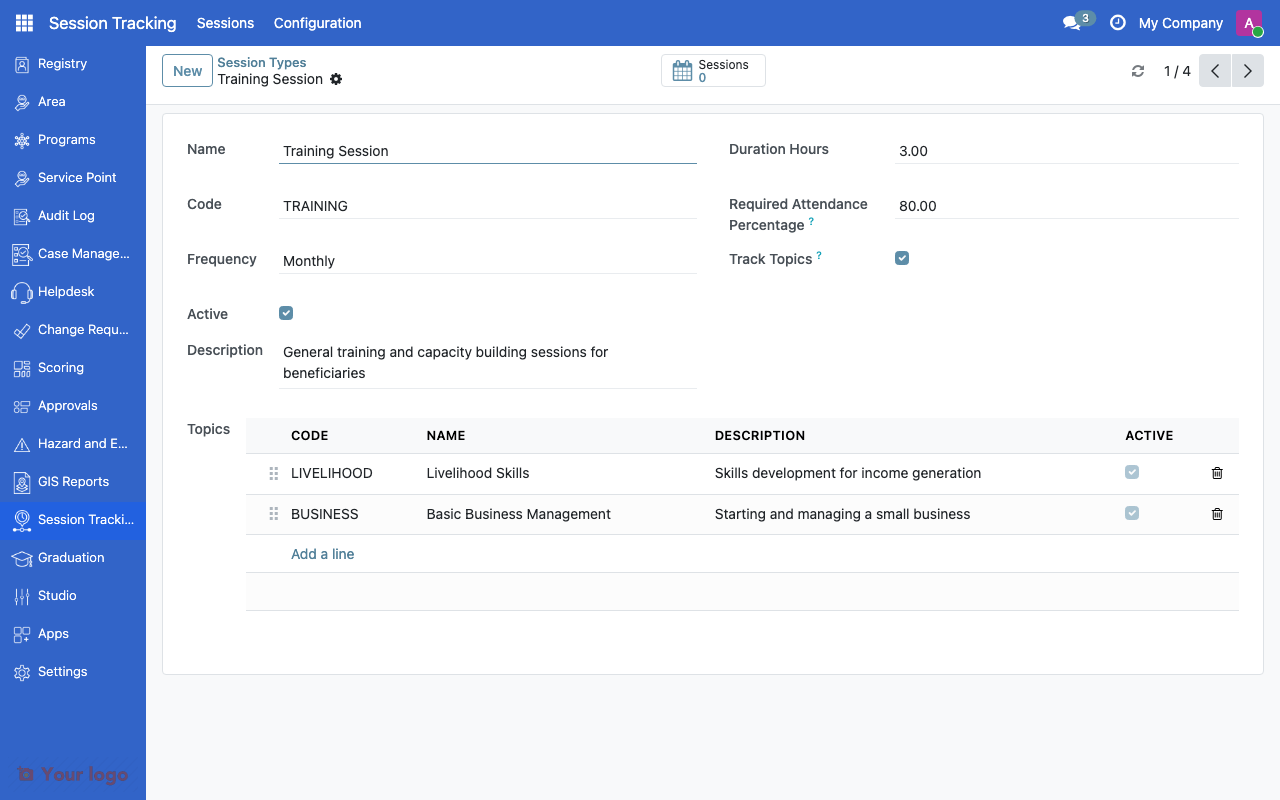
Session type form showing frequency, topics, and required attendance percentage.#
Type |
Frequency |
Duration |
Description |
|---|---|---|---|
Training Session |
Monthly |
3 hours |
Skills development training |
Group Meeting |
Bi-weekly |
2 hours |
Peer support group |
Family Development Session |
Monthly |
2 hours |
Family welfare education |
Workshop |
One-time |
4 hours |
Specialized topic workshop |
Topics#
When topic tracking is enabled, each session records which topic was covered:
Session Type |
Example Topics |
|---|---|
Family Development Session |
Nutrition, Education, Financial Literacy, Health, Child Protection |
Training Session |
Business Skills, Agriculture, Digital Literacy |
Attendance records#
Each attendance record links a registrant to a session:
Field |
What it means |
|---|---|
Session |
Which session instance |
Registrant |
Who attended |
Status |
Present, Absent, Excused |
Compliance tracking#
The Required Attendance percentage determines compliance:
Requirement |
Meaning |
|---|---|
80% |
Must attend 80% of sessions to be compliant |
100% |
Must attend all sessions |
0% |
No attendance requirement |
Non-compliant beneficiaries can be flagged for follow-up or excluded from certain benefits.
Setting up session tracking#
Step 1: Create session types#
Navigate to Configuration > Session Types
Click Create
Set the Name, Frequency, and Duration
Set the Required Attendance percentage
Enable Topic Tracking if needed and add topics
Save
Step 2: Create sessions#
Navigate to Sessions
Click Create
Select the Session Type
Set the date, location, and facilitator
Save
Step 3: Record attendance#
Open a session record
In the Attendance tab, add registrant records
Mark each as Present, Absent, or Excused
Save
Common use cases#
Use case 1: Conditional cash transfer compliance#
Goal: Track that beneficiaries attend required Family Development Sessions.
Setup:
Create an "FDS" session type with monthly frequency
Set required attendance to 80%
Add topics: Nutrition, Education, Financial Literacy, Health
Create monthly sessions and track attendance
Use attendance data in program compliance checks
Use case 2: Skills training program#
Goal: Track completion of a training curriculum.
Setup:
Create a "Skills Training" session type as one-time
Create separate sessions for each module
Set required attendance to 100% (must complete all modules)
Track topic per session (each module is a topic)
Are You Stuck?#
Where do I find session tracking?
Look for Sessions in the main menu. If you don't see it, ask your administrator to install the Session Tracking module.
Attendance percentage not calculating?
The system calculates attendance from recorded attendance records. Make sure all sessions have attendance data entered.
Can I bulk-record attendance?
Yes. In the session form, you can add multiple registrants at once and mark their status.
How does attendance affect program eligibility?
Attendance data can be referenced in eligibility formulas. For example, a formula can check whether a beneficiary's attendance rate meets the 80% threshold. See CEL expressions for how to write these formulas.
Topics not showing in session form?
Enable Topic Tracking on the session type first. Topics only appear when tracking is enabled.
Next steps#
Eligibility rules - Use attendance in eligibility rules
Graduation criteria - Attendance as graduation criteria
Case management overview - Link sessions to case plans