 openspp.org
Simulation overview
Contents
Simulation overview#
This guide is for implementers modeling targeting scenarios in OpenSPP. Simulations use CEL (Common Expression Language) — a formula language similar to building rules in Excel — to define who gets targeted. See CEL expressions for a full guide on writing these formulas.
Mental model#
Simulation in OpenSPP has three layers:
Layer |
What it does |
Example |
|---|---|---|
Template |
Pre-built targeting pattern with CEL expression |
"Target households with elderly members" |
Scenario |
Specific instance with parameters |
"Elderly households, $100/month, Region 4" |
Comparison |
Side-by-side analysis of scenarios |
"Age-based vs. poverty-based targeting" |
Think of it like a budget calculator: templates are the formulas, scenarios are specific calculations with your numbers, and comparisons show you which option gives the best result.
Key concepts#
Scenario templates#
Templates are pre-built targeting patterns:
Field |
What it means |
|---|---|
Name |
Template label |
Category |
Age-Based, Geographic, Vulnerability, Economic, or Categorical |
Targeting Formula |
Rule that defines who qualifies (written in CEL — see CEL expressions) |
Default Amount |
Default benefit per beneficiary |
Target Population |
Expression for ideal population (for accuracy metrics) |
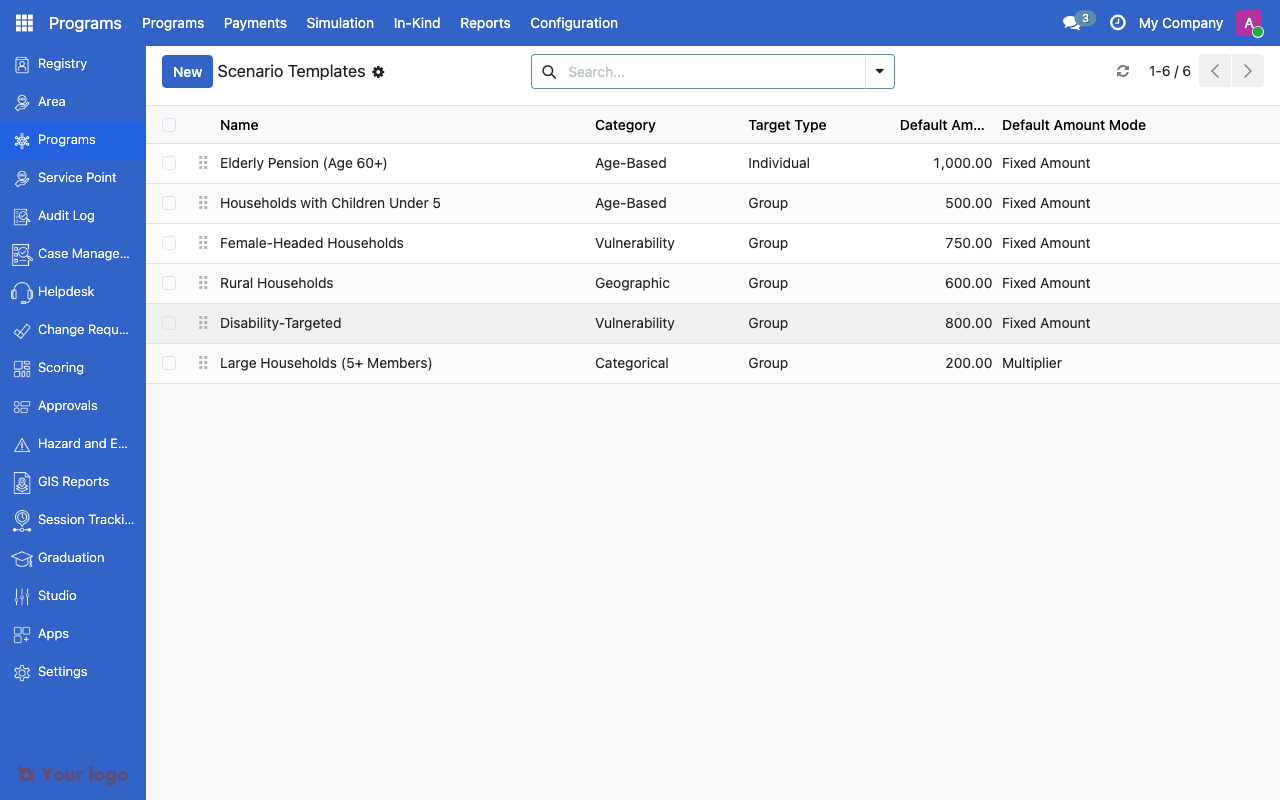
Simulation scenario templates list showing categories and targeting formulas.#
Pre-built template categories:
Category |
Example Templates |
|---|---|
Age-Based |
Elderly (60+), Children under 5, Working age adults |
Geographic |
Rural households, Urban poor, Specific provinces |
Vulnerability |
Female-headed households, Disability, Large households |
Economic |
Below poverty line, Informal sector, Unemployed |
Categorical |
Farmers, Fishers, Indigenous communities |
Simulation scenarios#
A scenario is an instance of a template with specific parameters:
Field |
What it means |
|---|---|
Template |
Base targeting pattern |
Benefit Amount |
Amount per qualifying beneficiary |
Budget Limit |
Total available budget |
Area Scope |
Geographic restriction |
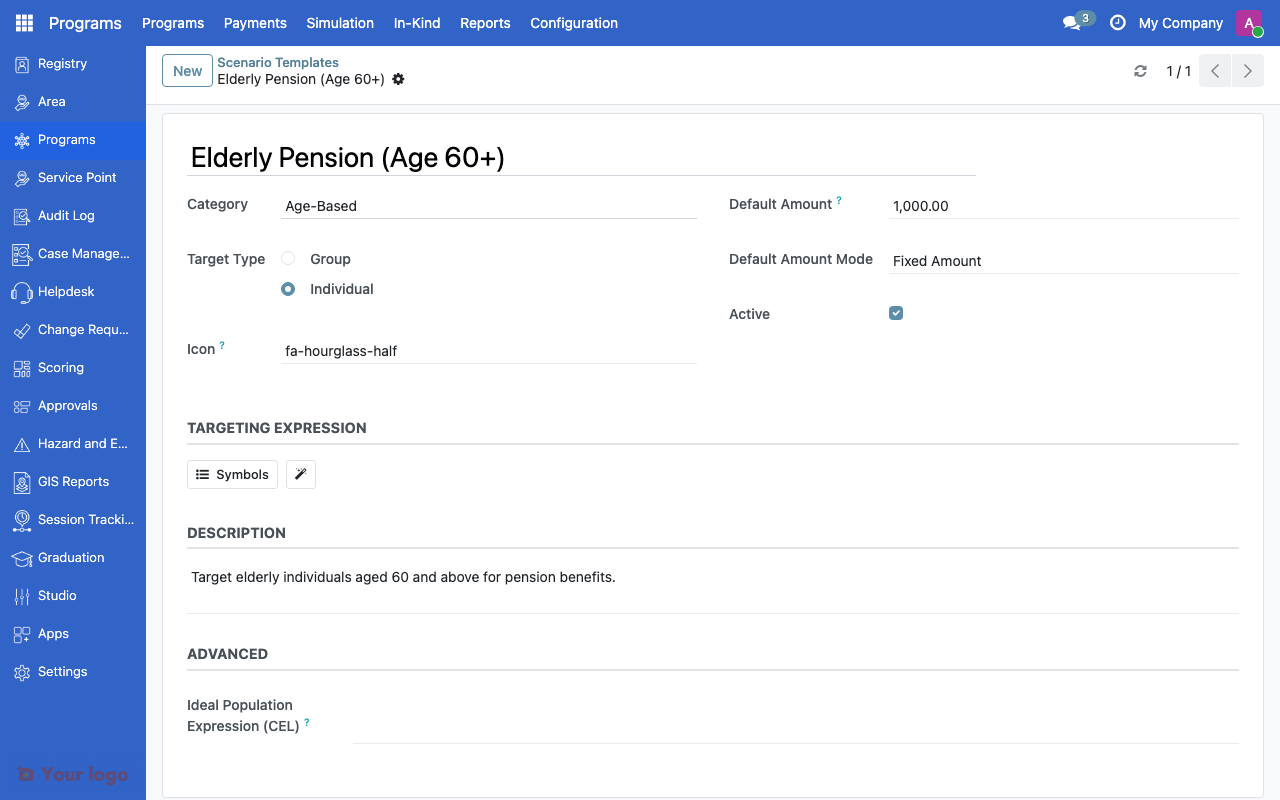
Scenario template form showing targeting formula and default parameters.#
Simulation runs#
When you run a scenario:
The targeting formula evaluates against the registry
Qualifying registrants are identified
Total cost is calculated (count x amount)
Metrics are computed (coverage, cost, accuracy)
Simulation comparison#
Compare scenarios side by side:
Metric |
What it measures |
|---|---|
Coverage |
What percentage of the target population is reached |
Cost |
Total program cost |
Accuracy |
How well targeting matches the ideal population |
Inclusion error |
Non-eligible beneficiaries included |
Exclusion error |
Eligible beneficiaries missed |
Fairness metrics#
The system evaluates targeting fairness across dimensions:
Metric |
What it measures |
|---|---|
Gender equity |
Balance between male/female-headed households |
Geographic equity |
Distribution across areas |
Age equity |
Distribution across age groups |
Common use cases#
Use case 1: Policy comparison#
Goal: Compare age-based vs. poverty-based targeting for a new program.
Setup:
Create Scenario A from the "Elderly 60+" template with $100/month
Create Scenario B from the "Below Poverty Line" template with $100/month
Run both scenarios
Create a comparison to see coverage, cost, and overlap
Use case 2: Budget impact analysis#
Goal: Understand the cost of different benefit levels.
Setup:
Create the same scenario with amounts $50, $100, and $150
Run all three
Compare to see how benefit level affects coverage vs. budget
Are You Stuck?#
CEL expression returns no results?
Check the formula syntax in the CEL expressions guide. Test the formula in the expression editor first.
Comparison metrics look wrong?
Ensure scenarios use comparable populations. Comparing a geographic scenario with an age-based scenario may show high exclusion errors because they target fundamentally different groups.
Can I modify pre-built templates?
Yes. Yes. Edit the template's targeting formula, category, or default values to match your context.
How do I share simulation results?
Export comparison data from the comparison view. Results include all metrics in a downloadable format.
Next steps#
CEL expressions - CEL expression syntax for targeting
Eligibility rules - Apply simulation results to program eligibility