 openspp.org
Graduation overview
Contents
Graduation overview#
This guide is for implementers configuring program exit pathways in OpenSPP. You should understand your program's graduation policy but don't need programming knowledge.
Mental model#
Graduation in OpenSPP has three layers:
Layer |
What it does |
Example |
|---|---|---|
Pathway |
Defines the type of exit |
"Standard Graduation" (positive), "Administrative Exit" (neutral) |
Criteria |
Conditions that must be met |
"Monthly income > $200", "Has savings account" |
Assessment |
Individual evaluation against criteria |
"Maria meets 4/5 criteria - ready for graduation" |
Think of it like a school graduation: pathways are the degree programs (with honors, standard, early exit), criteria are the course requirements, and assessments are the final exams.
Key concepts#
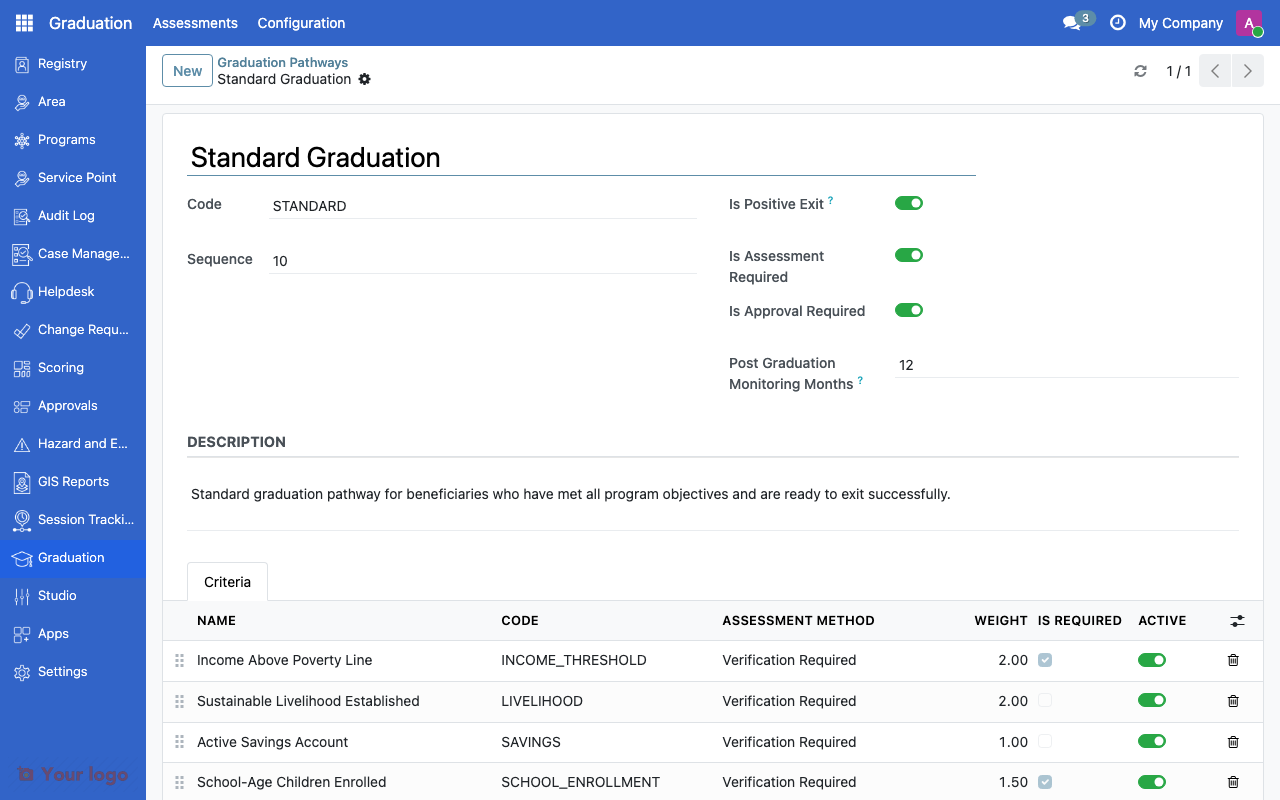
Graduation pathways#
Field |
What it means |
|---|---|
Name |
Pathway label (e.g., "Standard Graduation") |
Exit Type |
Positive or Negative |
Assessment Required |
Whether formal assessment is needed before exit |
Approval Required |
Whether graduation needs supervisor approval |
Monitoring Duration |
Months of post-graduation monitoring |
Exit types#
Type |
Meaning |
Example |
|---|---|---|
Positive |
Beneficiary achieved program goals |
Completed training, above poverty line |
Negative |
Exit without achieving goals |
Relocated, deceased, administrative removal |
Navigation#
Menu |
Purpose |
|---|---|
Graduation → Configuration → Pathways |
Define exit pathways |
Graduation > Graduation Criteria |
Configure assessment criteria |
Graduation > Assessments |
View individual assessments |
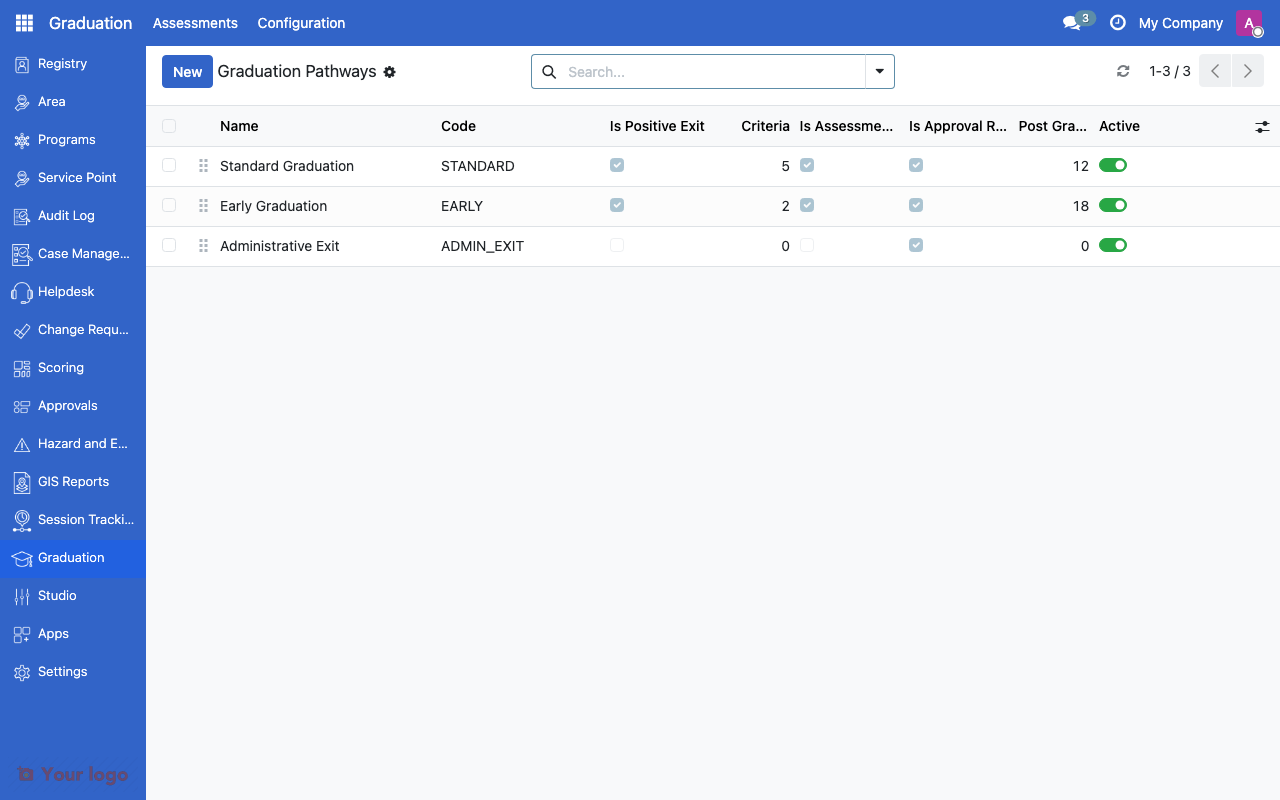
Graduation pathways list showing exit type and assessment requirements.#
Common use cases#
Use case 1: Poverty graduation program#
Goal: Graduate beneficiaries who achieve economic self-sufficiency.
Setup:
Use the "Standard Graduation" pathway
Set criteria: income threshold, savings, livelihood activity
Require assessment and supervisor approval
Set 6-month post-graduation monitoring
Use case 2: Emergency program exit#
Goal: Administrative exit when emergency response concludes.
Setup:
Use the "Administrative Exit" pathway
No assessment or approval required
Set 0 months monitoring
Bulk-process exits for all remaining beneficiaries
Are You Stuck?#
Where do I configure graduation?
Navigate to Graduation in the main menu. If you don't see it, ask your administrator to install the Graduation module.
What happens during post-graduation monitoring?
The system tracks graduated beneficiaries for the configured duration. This allows re-enrollment if they fall back below thresholds.
Can I customize the default pathways?
Yes. Edit or create new pathways to match your program's exit policies.
Next steps#
Graduation criteria - Configure assessment criteria
Eligibility rules - Connect graduation to eligibility rules