 openspp.org
Entitlement formulas
Contents
Entitlement formulas#
This guide is for implementers configuring entitlement formulas to calculate benefit amounts for qualified registrants.
Prerequisites#
Important
The following modules must be installed:
spp_entitlement_cashspp_entitlement_in_kind
See Module installation for module installation instructions.
What are entitlement formulas?#
Entitlement formulas define how much each beneficiary receives. They translate policy rules (e.g., "$50 base plus $10 per child") into calculations that OpenSPP applies automatically when preparing entitlements.
        graph LR
    B[Beneficiary] --> E[Entitlement Manager]
    E --> |Apply formula| C[Calculate amount]
    C --> EN[Entitlement record]
    EN --> P[Payment/Distribution]
How entitlements work in OpenSPP#
Each program has an Entitlement Manager that controls how benefits are calculated. The manager can have multiple entitlement items, each with its own conditions and formulas.
Component |
Purpose |
|---|---|
Entitlement Manager |
Container for entitlement configuration |
Entitlement Items |
Individual calculation rules |
Amount |
Base amount for the item |
Multiplier |
Field to multiply the amount by |
Condition |
CEL expression determining who gets this item |
Formula |
CEL expression for complex calculations |
Quick start#
To configure entitlements for a program:
Go to Programs → Programs and open your program
Click the Configuration tab
Find the Entitlement Manager section
Click the gear icon to configure
Add entitlement items with amounts and conditions
Save the configuration
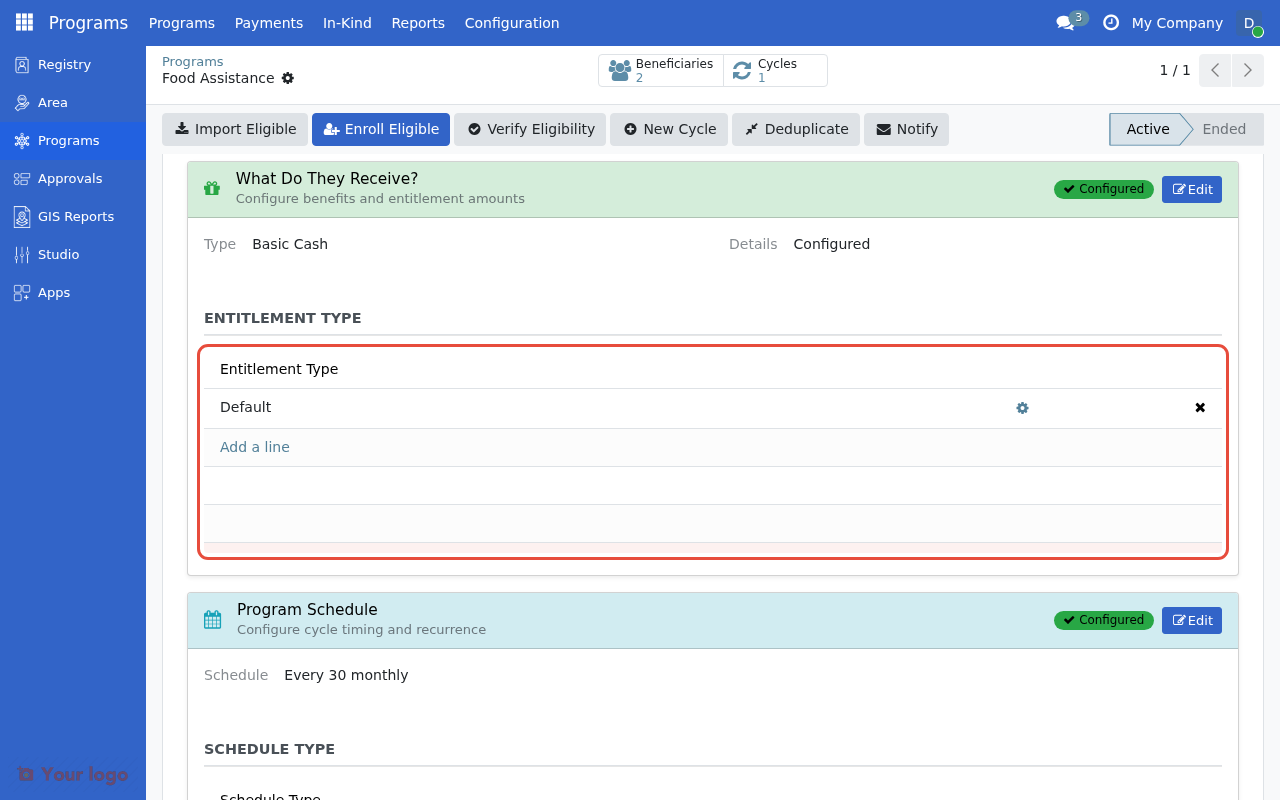
The Entitlement Manager section in the program's Configuration tab.#
What you'll find here#
Guide |
Description |
|---|---|
Configure cash entitlement amounts and multipliers |
|
Configure in-kind (physical goods) entitlements |
|
Pre-built formulas for common scenarios |
|
Variable amounts based on household composition |
|
Different formulas for different beneficiary types |
Entitlement types#
OpenSPP supports different entitlement types:
Type |
Description |
Use case |
|---|---|---|
Cash |
Monetary payments |
Cash transfer programs |
In-Kind |
Physical goods |
Food distribution, supplies |
Common calculation patterns#
Scenario |
Configuration |
|---|---|
Fixed amount for all |
Amount: |
Per household member |
Amount: |
Base + per child |
Item 1: |
Maximum cap |
Amount with multiplier, Max amount: |
See Cash calculations for detailed configuration.
Are you stuck?#
Entitlements are $0? Check that entitlement items are configured and conditions match your beneficiaries.
Formula shows an error?
CEL formulas use base_amount for the item's amount value. Check syntax and field names.
Need complex calculations? See Formula library for pre-built patterns or Conditional logic for advanced scenarios.