 openspp.org
Approval workflows overview
Contents
Approval workflows overview#
This guide is for implementers setting up approval processes in OpenSPP. You should understand your program's approval requirements but don't need programming knowledge.
Mental model#
Approval workflows in OpenSPP have three layers:
Layer |
What it does |
Example |
|---|---|---|
Definition |
Describes what needs approval and who approves |
"Change requests require manager approval" |
Tier |
Adds sequential approval steps within a definition |
"First supervisor, then director" |
Action |
Individual approve/reject decision by an approver |
"Maria approved on 2026-03-15" |
Think of it like signing a document: the definition says which documents need signatures, tiers are the signature lines (sign here, then here), and actions are the actual signatures.
Key concepts#
Approval definition#
An approval definition is the blueprint for a workflow. Each definition targets a specific model (e.g., change requests, cases).
Field |
What it means |
|---|---|
Name |
Human-readable label (e.g., "CR Approval - Field Office") |
Model |
Which type of record needs approval (e.g., Change Requests, Cases) |
Approval Type |
Who approves (see types below) |
Domain |
Filter for when this approval applies (e.g., only for a specific program) |
SLA Days |
Expected turnaround time |
Escalation |
What happens when SLA is breached |
Approval types#
Type |
How it works |
Best for |
|---|---|---|
Security Group |
Any member of a security group can approve |
Department-level approval |
Specific Users |
Only named users can approve |
Small teams with fixed reviewers |
Manager of Submitter |
Submitter's manager in the org chart |
Hierarchical organizations |
Dynamic Field |
Approver determined by a field on the record |
Area-based or program-based routing |
Notification settings#
Each definition has three notification toggles:
Setting |
When it fires |
|---|---|
Notify on Submit |
When a record is submitted for approval |
Notify on Approve |
When an approver approves |
Notify on Reject |
When an approver rejects |
Behavior settings#
Setting |
What it does |
|---|---|
Require Comment on Approval |
Approver must explain their decision |
Require Comment on Rejection |
Rejector must provide a reason |
Auto-approve if Submitter is Approver |
Skip approval if the submitter is also the designated approver |
Emergency Bypass |
Allow bypassing approval in emergencies |
Respect Freeze Periods |
Block approvals during system freeze |
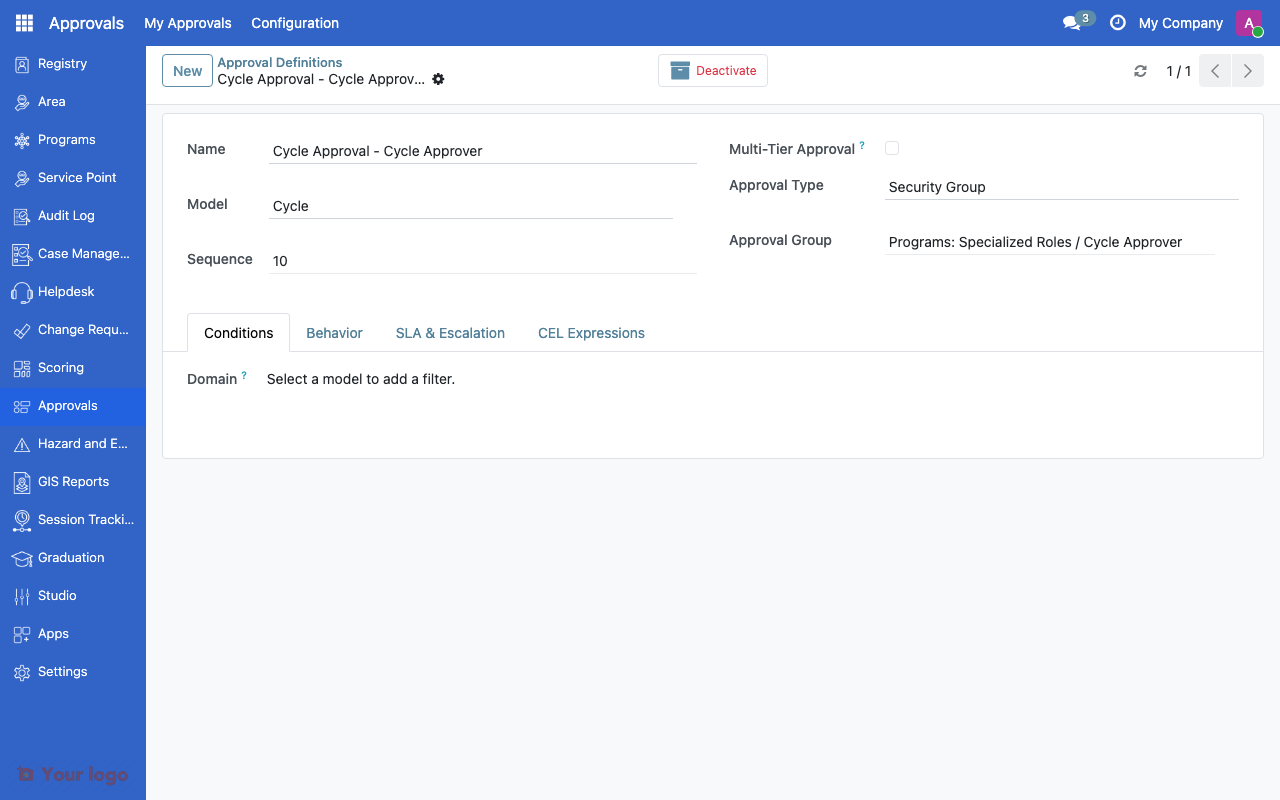
Approval definition form showing model, type, and notification settings.#
Navigation#
Menu |
Purpose |
|---|---|
My Approvals > Pending Approvals |
View items waiting for your approval |
All Reviews |
All approval activity (managers only) |
Configuration > Approval Definitions |
Create and manage workflows |
Configuration > Freeze Periods |
Define system-wide approval freezes |
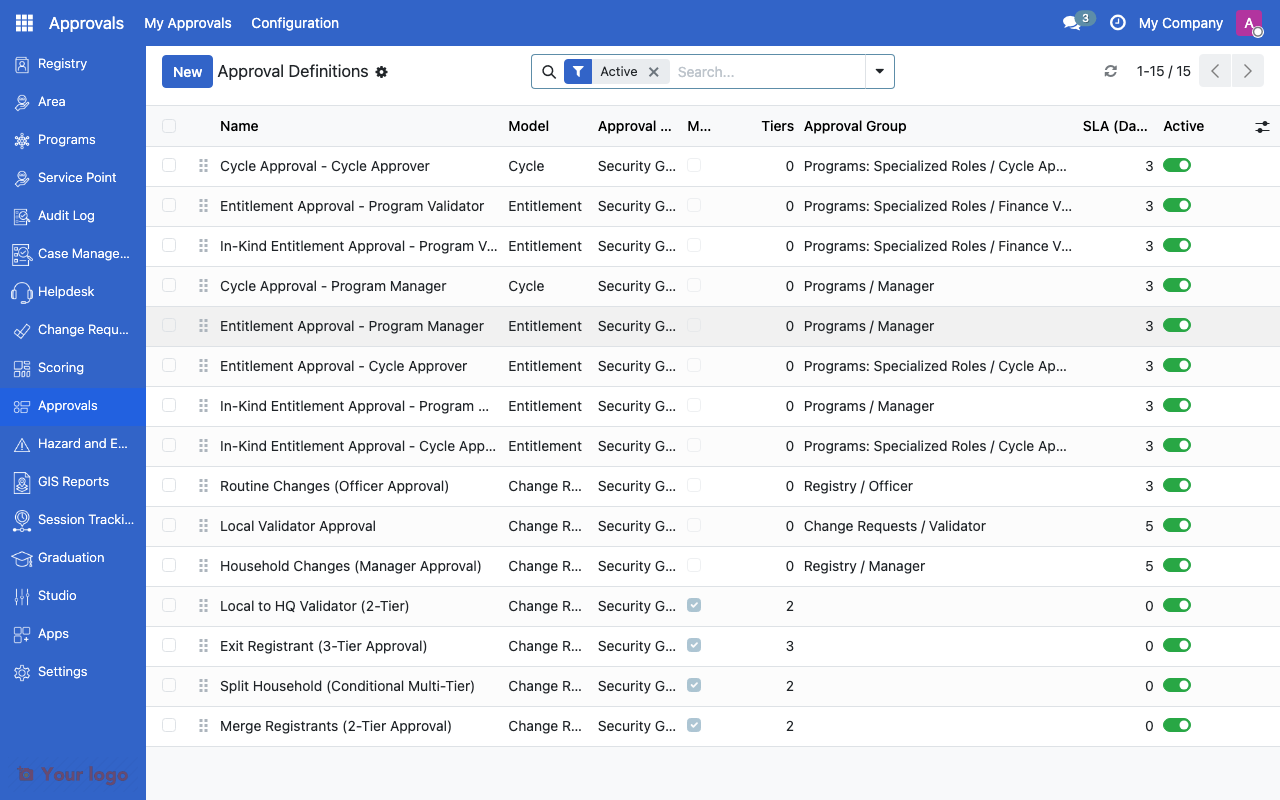
Approval definitions list showing configured workflows.#
Common use cases#
Use case 1: Simple manager approval#
Goal: Require manager sign-off on change requests.
Setup:
Create an approval definition targeting the Change Request model
Set Approval Type to Manager of Submitter
Enable Notify on Submit so managers know immediately
Set SLA to 3 days
Use case 2: Multi-tier committee review#
Goal: Require field office, then regional office, then central office approval.
Setup:
Create an approval definition
Add three tiers (see Approval tiers):
Tier 1: Field Office group
Tier 2: Regional Office group
Tier 3: Central Office group
Each tier must complete before the next begins
Use case 3: Area-based routing#
Goal: Route approvals to the manager responsible for the beneficiary's area.
Setup:
Create an approval definition
Set Approval Type to Dynamic Field
Select the field that references the area manager
The system looks up the approver from the record data
Are You Stuck?#
Where do I configure approval workflows?
Go to Configuration > Approval Definitions. This menu is only visible to administrators.
My approval definition doesn't trigger?
Check the Domain field. If a filter is set, the definition only applies to records that match those conditions. Clear the domain to apply the approval to all records.
Approver doesn't see the pending item?
Verify the approver is in the correct security group (for Security Group type) or is set as the manager (for Manager type). Check that notifications are enabled.
Can I have different approval rules for different programs?
Yes. Use the Domain field to scope each definition to specific programs. For example, add a filter for a specific program name to create a dedicated approval chain for it.
What happens if an approver is unavailable?
Configure SLA escalation to route to an alternate approver after the deadline passes. You can also enable emergency bypass for urgent cases.
Can I change the approval definition after records are already in review?
Changes to the definition apply to new submissions only. Records already in the approval pipeline continue with the rules that were active when they were submitted.
Next steps#
Approval tiers - Configure multi-step approval chains
Batch approvals and freeze periods - Batch processing and freeze periods
Overview - Change request workflows that use approvals