 openspp.org
CEL expressions for eligibility
Contents
CEL expressions for eligibility#
This guide is for implementers writing CEL (Common Expression Language) expressions to define eligibility criteria.
Understanding CEL#
CEL is a simple expression language that lets you write eligibility rules without programming. It compiles to database queries for fast evaluation at scale.
Example: Select individuals aged 60 or older:
age_years(r.birthdate) >= 60
Context variables#
The context depends on your program's target type:
Target type |
Context variable |
Description |
|---|---|---|
Individual |
|
The individual registrant |
Group/Household |
|
The group/household record |
Group/Household |
|
Collection of household members |
Note
Some expressions use me instead of r. Both refer to the current registrant. Check your CEL editor's symbol browser for available variables.
Basic syntax#
Comparison operators#
Operator |
Meaning |
Example |
|---|---|---|
|
Equals |
|
|
Not equals |
|
|
Greater than or equal |
|
|
Less than or equal |
|
|
Greater than |
|
|
Less than |
|
Logical operators#
Operator |
Meaning |
Example |
|---|---|---|
|
Both must be true |
|
|
Either can be true |
|
|
Negation |
|
Warning
Use lowercase and/or, not AND/OR. CEL is case-sensitive for operators.
Grouping with parentheses#
Use parentheses to control evaluation order:
(age_years(r.birthdate) >= 60) or (r.disabled and age_years(r.birthdate) >= 50)
Built-in functions#
Age calculation#
Function |
Description |
Example |
|---|---|---|
|
Calculate age in years from date |
|
Gender helpers#
Function |
Description |
Example |
|---|---|---|
|
Check if female |
|
|
Check if male |
|
Household role#
Function |
Description |
Example |
|---|---|---|
|
Check if member is household head |
|
Working with household members#
For group/household programs, use collection functions to evaluate members:
Check if any member matches#
members.exists(m, age_years(m.birthdate) < 5)
This returns true if any member is under 5 years old.
Count matching members#
members.count(m, age_years(m.birthdate) < 18) >= 2
This returns true if there are 2 or more members under 18.
Filter members#
members.filter(m, is_female(m.gender_id) and age_years(m.birthdate) >= 18)
This returns a collection of adult female members.
Collection function syntax#
Function |
Syntax |
Description |
|---|---|---|
|
|
True if any item matches |
|
|
Number of matching items |
|
|
Items that match |
|
|
True if all items match |
The var (typically m for member) is the iteration variable used in the condition.
Household variables#
For group/household programs, these pre-computed variables are available:
Variable |
Description |
Example |
|---|---|---|
|
Number of household members |
|
Common patterns#
Age-based criteria#
# Adults (18+)
age_years(r.birthdate) >= 18

# Working age (18-64)
age_years(r.birthdate) >= 18 and age_years(r.birthdate) <= 64

# Senior citizens (65+)
age_years(r.birthdate) >= 65

# Children under 5
age_years(r.birthdate) < 5
Gender-based criteria#
# Adult women
is_female(r.gender_id) and age_years(r.birthdate) >= 18

# Women of reproductive age (15-49)
is_female(r.gender_id) and age_years(r.birthdate) >= 15 and age_years(r.birthdate) <= 49
Household composition#
# Large households (4+ members)
hh_size >= 4

# Households with children under 5
members.count(m, age_years(m.birthdate) < 5) >= 1

# Households with school-age children (6-18)
members.count(m, age_years(m.birthdate) >= 6 and age_years(m.birthdate) <= 18) >= 1

# Female-headed households
members.exists(m, head(m) and is_female(m.gender_id))

# Elderly-headed households (60+)
members.exists(m, head(m) and age_years(m.birthdate) >= 60)
Vulnerability indicators#
# High dependency ratio (3+ dependents)
members.count(m, age_years(m.birthdate) < 18 or age_years(m.birthdate) >= 60) >= 3
Combined criteria#
# Elderly women in rural areas (requires area targeting)
is_female(r.gender_id) and age_years(r.birthdate) >= 60

# Large poor households with children
hh_size >= 5 and members.exists(m, age_years(m.birthdate) < 5)
Using the CEL editor#
The eligibility manager includes a CEL editor with:
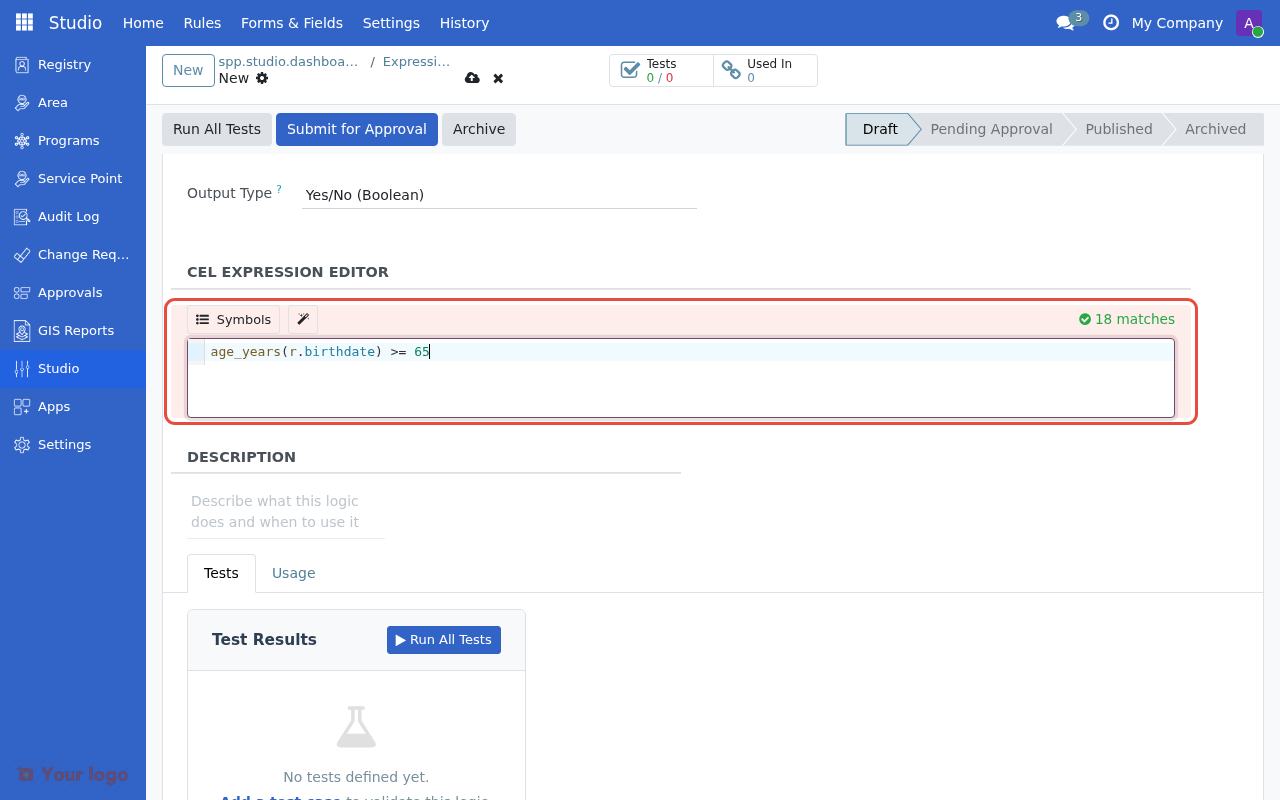
The CEL expression editor with syntax highlighting and live validation.#
Feature |
Description |
|---|---|
Syntax highlighting |
Color-coded expressions for readability |
Live validation |
Errors shown as you type |
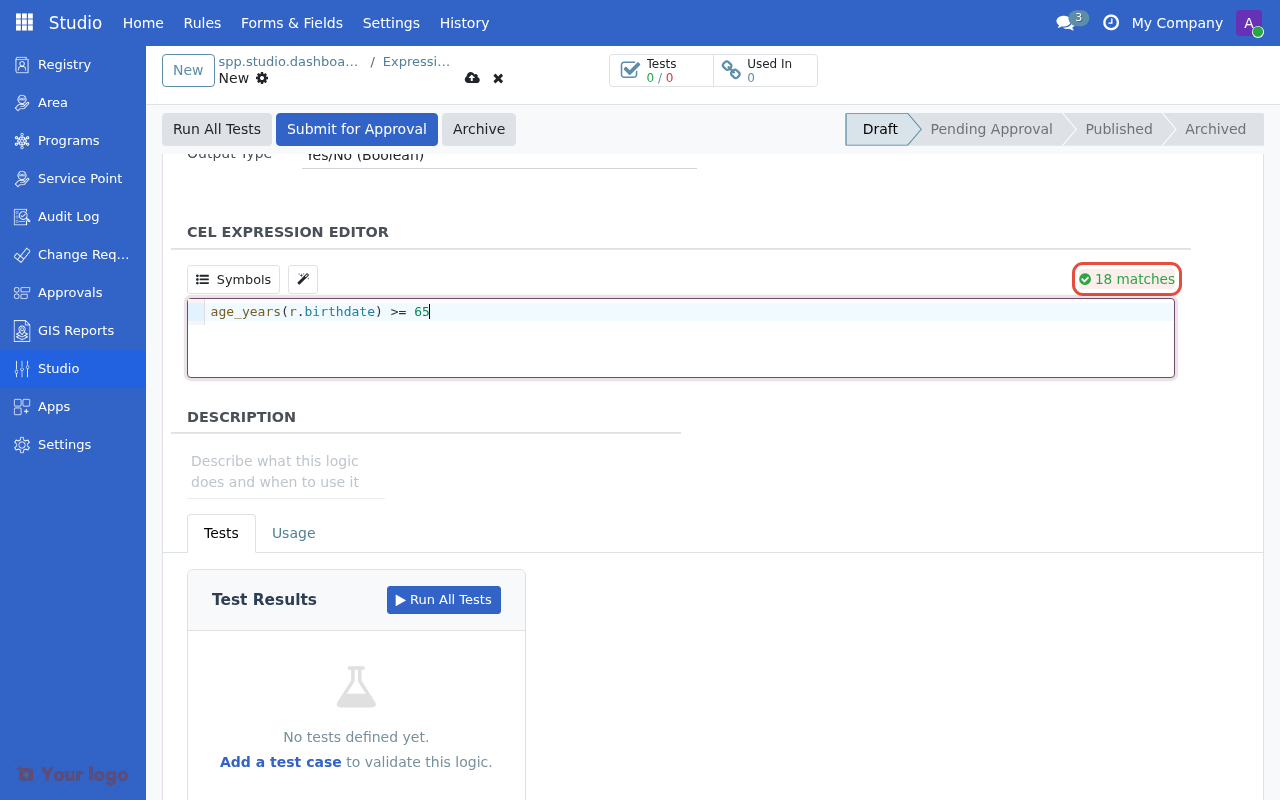
Match count |
Shows how many registrants match |
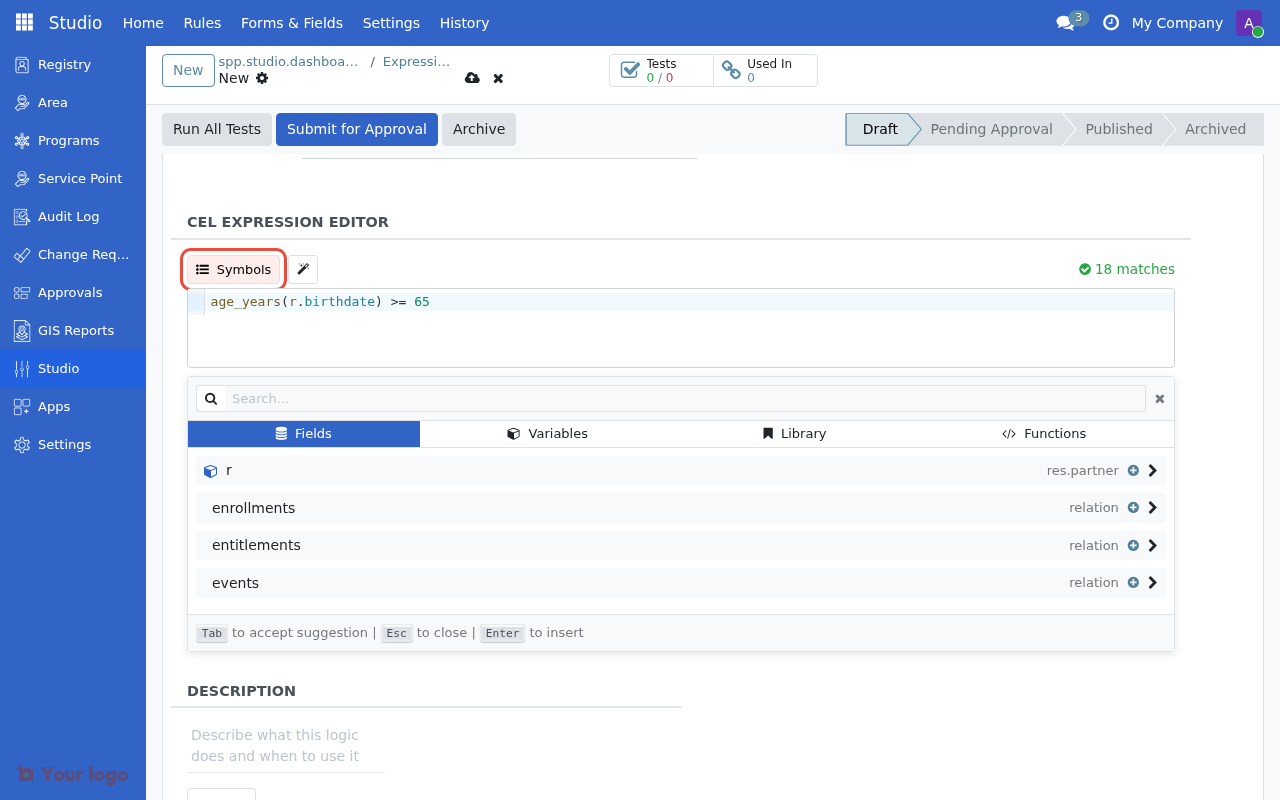
Symbol browser |
Lists available variables and functions |
Advanced builder#
For complex expressions, use the Advanced Builder button:
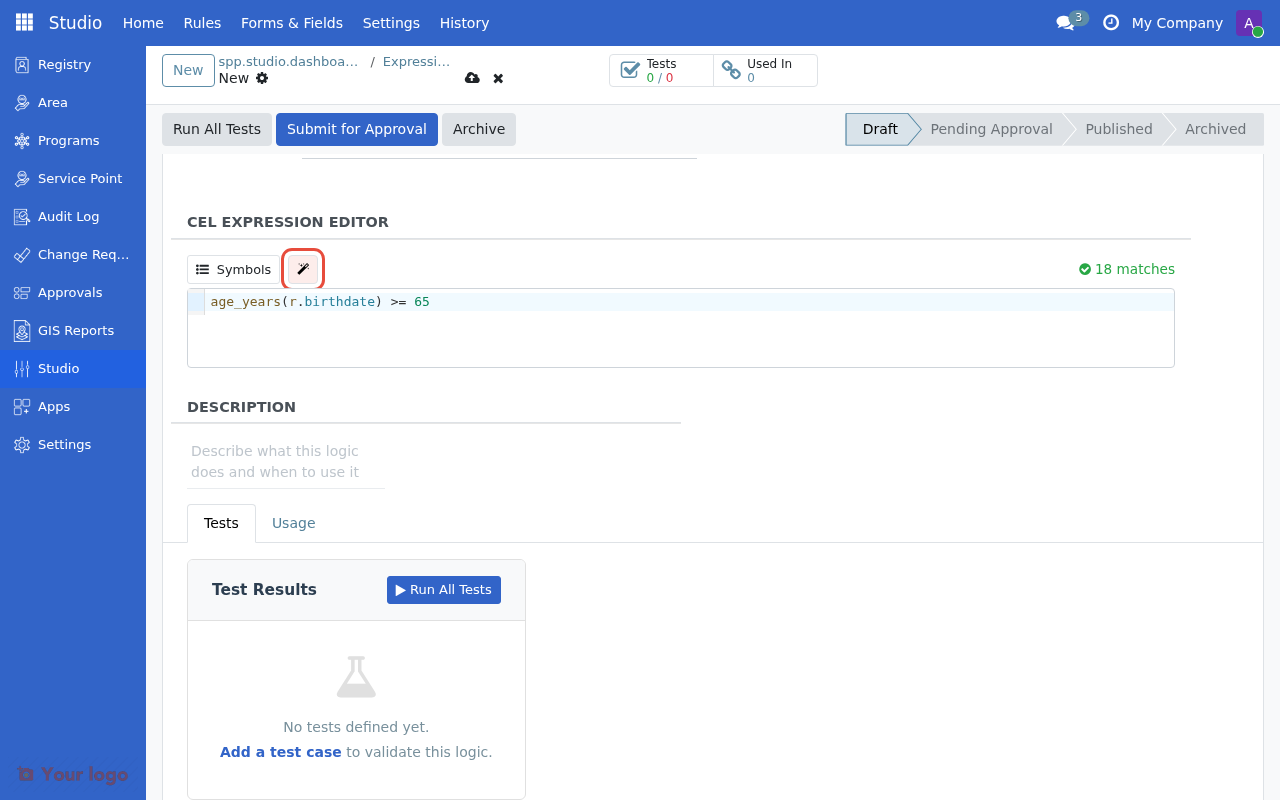
The advanced builder provides a larger editing area with target type selection and template insertion.#
The advanced builder provides:
Larger editing area
Target type selection (Individual/Group)
Template insertion
Full syntax reference
Are you stuck?#
Expression shows "invalid syntax"?
Check for lowercase
and/or(notAND/OR)Verify parentheses are balanced
Use the symbol browser to check field names
No registrants match?
Check the target type matches your program (Individual vs Group)
Verify the field contains the expected data
Start with a simpler expression and add conditions incrementally
Age calculation seems wrong?
Ensure the birthdate field is not null
Check the date format in your data
Member functions not working?
Member functions (
members.exists,members.count) only work for Group/Household programsFor individual programs, access fields directly on
r
Next steps#
Expression templates - Use pre-built expression templates
Testing eligibility rules - Validate your expressions before deployment
Geographic targeting - Combine with area-based targeting