 openspp.org
Step 1: Access the program section
Contents
Step 1: Access the program section#
This tutorial is for users who are new to OpenSPP and want to learn how to access the program section.
What you'll do#
Learn how to navigate to the Programs module and understand the Program overview page.
Before you start#
You need one of these roles assigned to your user: Program Manager, Program Validator, Program Viewer, or Administrator
OpenSPP should be installed and running
Sample data loaded for exploration (see Explore OpenSPP)
Allow 2-3 minutes to complete this step
The scenario#
Your goal is to set up the Cash Transfer for Vulnerable Families program so eligible families can receive support. Before you can create or manage the program, you need to learn how to access the Programs section in OpenSPP.
Steps#
1. Navigate to Programs#
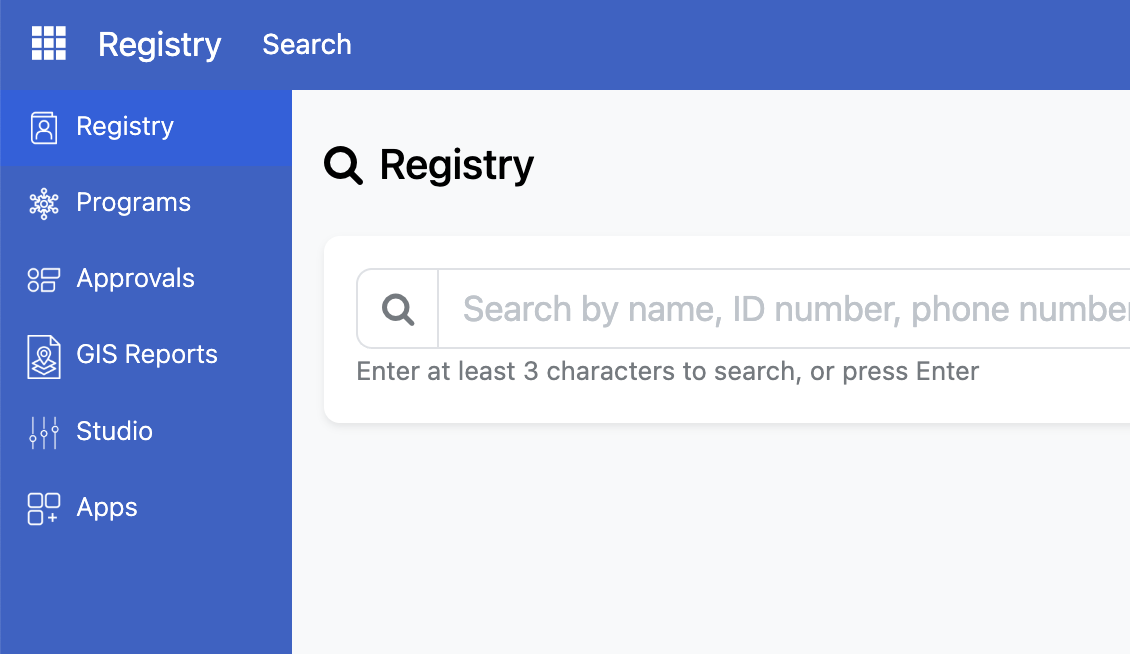
After logging in to OpenSPP, you'll see the sidebar menu on the left. Click Programs to access the program section.
2. Understand the Program Overview Page#
The program overview page displays all created programs with a brief overview. In order to view more detailed information about a specific program, click on respective line to find out more.
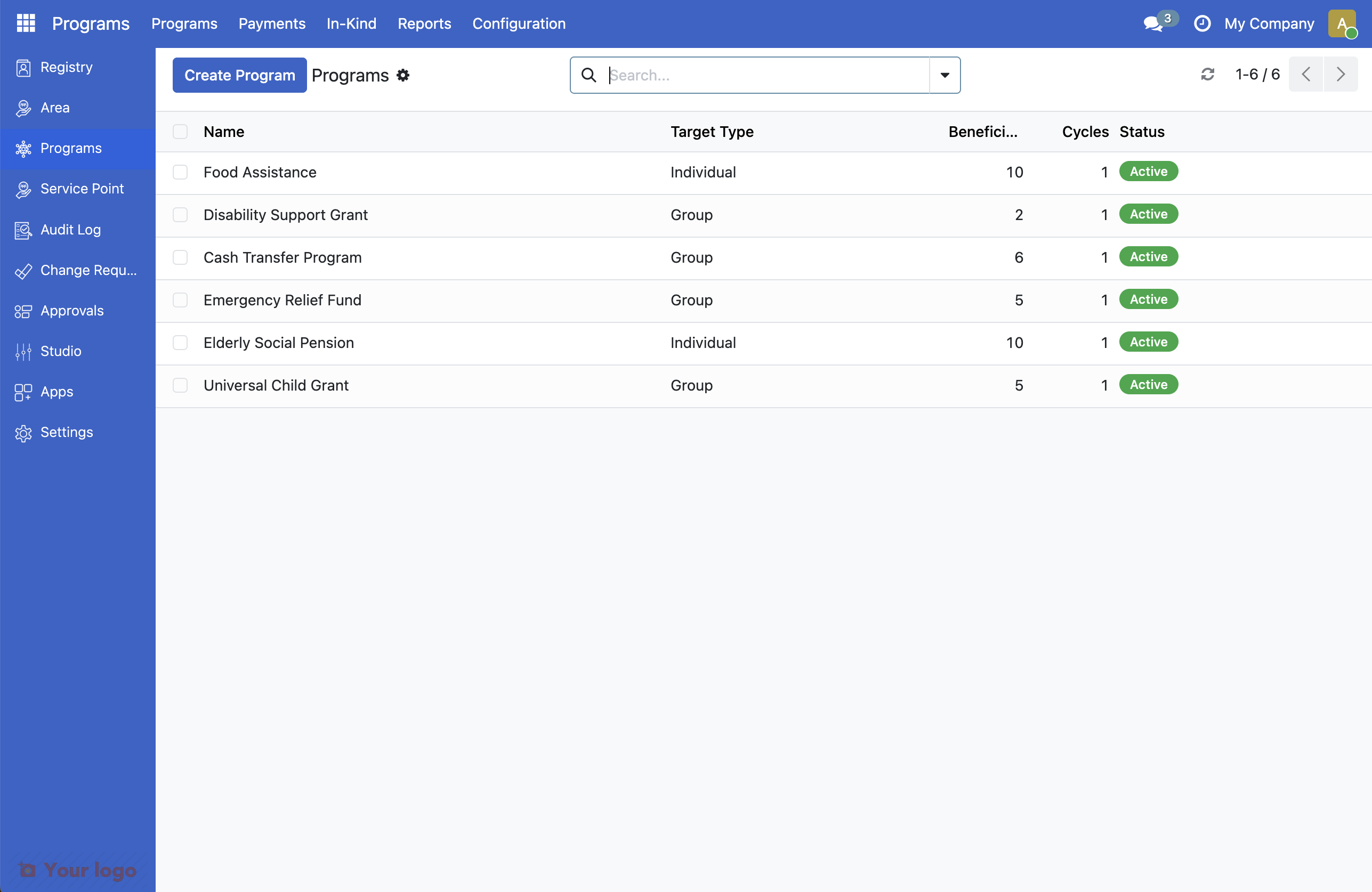
Key elements of the interface:
Element |
Purpose |
|---|---|
Create Program button |
Launches the wizard to create a new program |
Search bar |
Allows you to find existing programs |
Name column |
Name of the program |
Target Type column |
Displays whether the program targets an individual or a group |
Beneficiaries column |
Displays the number of beneficiaries |
Cycles column. |
Displays the number of created cycles |
Status column. |
Displays the program status |
3. Use the search function#
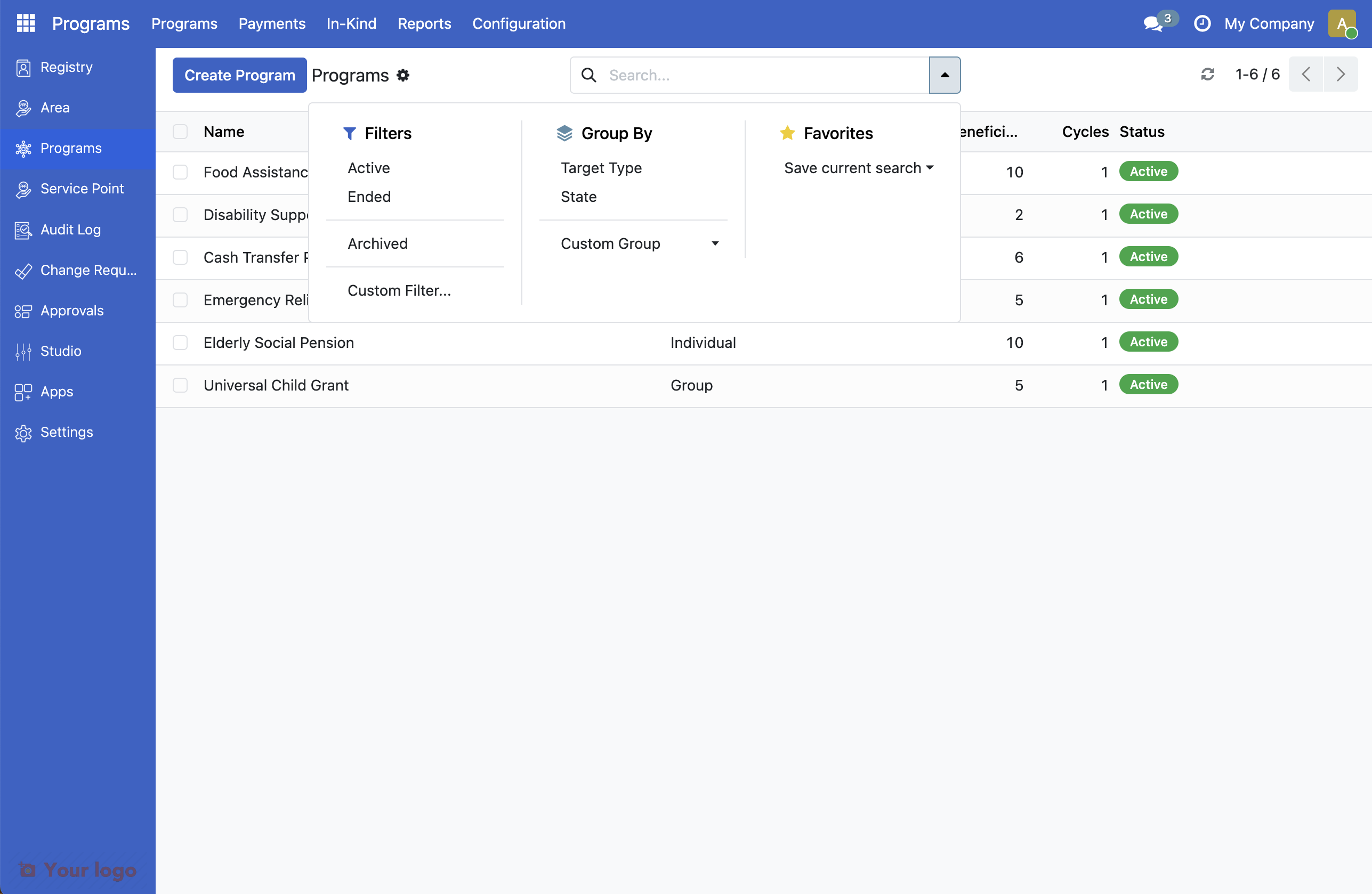
The search bar allows you to find existing Programs. Click on the search bar to begin typing. It is also possible to click the arrow to display filtering options.
What you accomplished#
You've learned how to:
Access the Program module from the sidebar
Understand the key interface elements
Use the search function to find existing records
Key concepts#
Concept |
Description |
|---|---|
Groups |
Households or families registered as a unit |
Individuals |
Single persons in the registry |
Registrant |
Any person or group recorded in the registry |
Beneficiary |
A registrant who has been enrolled in a program |
Are you stuck?#
Can't find Programs in the sidebar? Make sure you're logged in with appropriate permissions. Ask your system administrator to grant you access to the Programs module.
Don't see Create Program button? You may not have permission to create new records. Contact your administrator to grant you the appropriate access rights.
Next Step#
Continue to Step 2: Create your first program using the pre-loaded demo data.