 openspp.org
Step 5: Distribute entitlements
Contents
Step 5: Distribute entitlements#
This tutorial is for users who want to learn how to generate entitlements for distribution.
What you'll learn#
Understand how to configure entitlement records for distribution.
Before you start#
You completed Step 4: Understanding program cycles
Your program has cycles with enrolled beneficiaries
Allow 2-3 minutes to complete this step
The scenario#
A program has been configured, funds are allocated, beneficiaries are enrolled and a cycle has been created. All that is left is now to generate the entitlements.
Understanding entitlements#
An entitlement is a record that specifies what benefits a registrant should receive in a cycle. Think of it as a benefit authorization that can be approved and paid.
The flow is:
Configure - Set benefit amounts in program configuration
Generate - Create entitlement records for cycle beneficiaries
Review - Check amounts and beneficiaries
Approve - Confirm they're ready for distribution
Steps#
1. Approve the entitlements#
Navigate to Programs and open the program Cash transfer for vulnerable families.
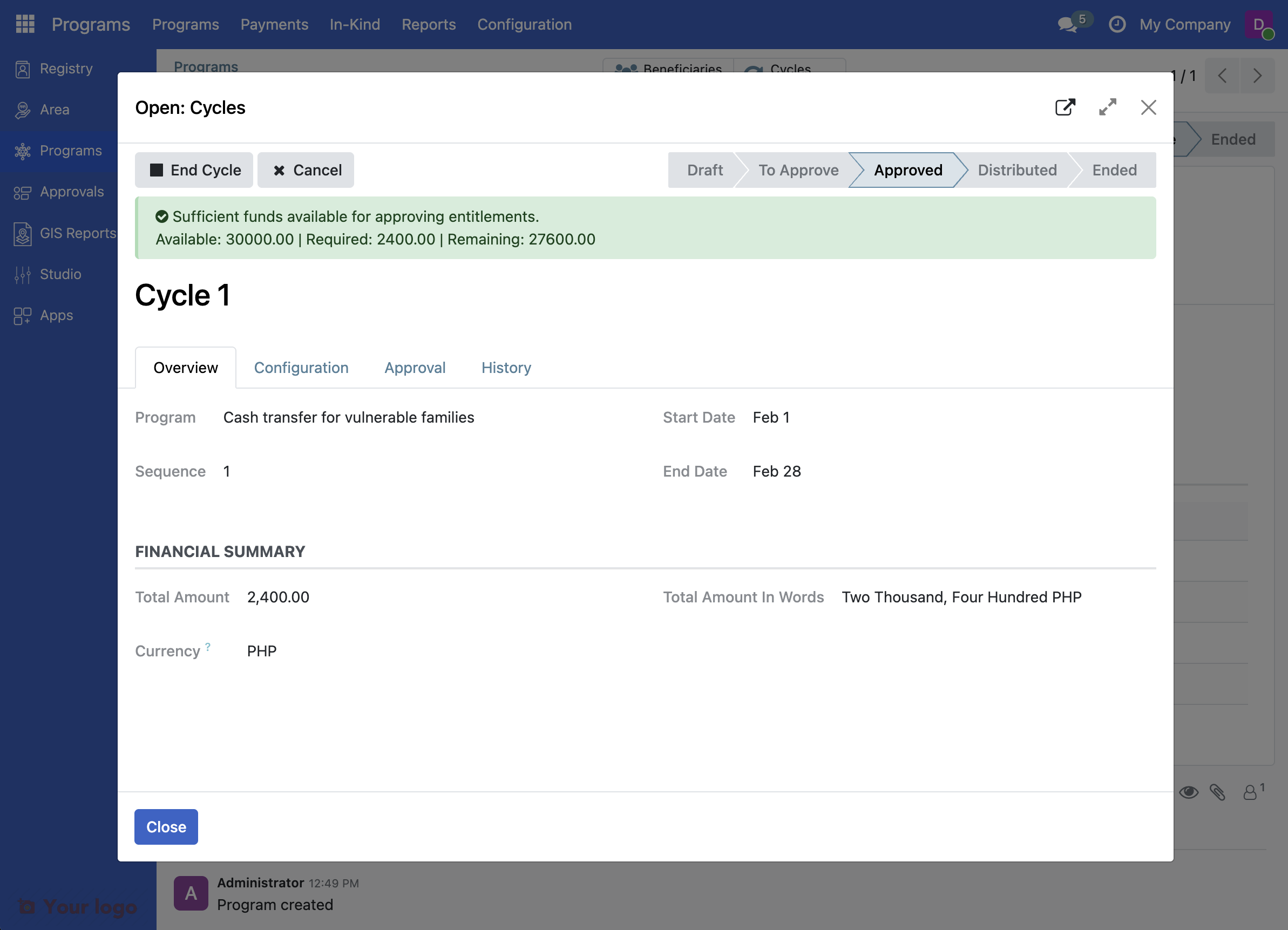
Click on the name of the cycle to enter it. Click on the tab Entitlements and note that they have the status Pending Approval
Click Approve Entitlements. Note that after approval, the only option is to end the cycle.
What you accomplished#
You now understand entitlement configuration:
Configuration tab contains entitlement type settings
Gear icon opens configuration dialog
Amount per Cycle sets the benefit amount
Prepare Entitlements generates records for beneficiaries
Status tracks entitlement approval
What's next#
Entitlements and payments work together:
Entitlements define what benefits each registrant receives
Payments execute the actual distribution (bank transfer, mobile money, etc.)
The payment/distribution phase depends on your OpenSPP configuration and payment provider integrations. This is typically handled by your finance or disbursement team.
Are you stuck?#
Can't approve entitlements? You need approval permissions. Check with your system administrator if you have the Entitlement Approver or Program Manager role.
How do I actually pay the beneficiaries? The payment step depends on your OpenSPP payment integration:
Bank transfers (export entitlements to Excel and import to bank system)
Mobile money integration (GCash, M-Pesa, etc.)
Service point distribution
Contact your system administrator for your organization's payment process
Next steps#
Congratulations! You've completed the First Program tutorial series. You now understand:
Registry setup
Data import
Program creation
Eligibility configuration
Cycle management
Entitlement generation
What to learn next#
For users:
Manual beneficiary enrollment
Point of service distribution
Advanced data import options
For implementers:
Configure advanced eligibility rules
Set up conditional entitlements
Create in-kind or basket entitlements
For administrators:
Role-based access control
Payment integrations
Approval workflows