 openspp.org
Module installation
Contents
Module installation#
OpenSPP's modular architecture allows organizations to deploy only the features they need. Built on Odoo 17, the platform extends functionality through specialized modules that can be mixed and matched to create tailored social protection solutions. This guide covers installing OpenSPP modules for different use cases.
Important
Before installing OpenSPP modules, ensure you have an Odoo 17 instance running and accessible. If not, follow the Installation guide in order to install it.
Installing OpenSPP base modules#
OpenSPP comes with three configured base modules depending on your needs. The steps on how to install these can be found in Installation of OpenSPP Social Registry, Installation of OpenSPP SP-MIS and Installation of OpenSPP Farmer Registry.
Important
The SP-MIS (spp_base_spmis), Farmer Registry (spp_base_farmer_registry) and Social Registry (spp_base_social_registry) modules are mutually exclusive. You can only have one of them installed in a single Odoo database. Attempting to install multiple base modules will result in an error.
Installing additional modules#
After setting up your base system you can extend the functionality with additional modules. OpenSPP offers 60+ specialized modules covering various aspects of social protection delivery.
Note
Additional modules automatically detect and respect your base configuration (SP-MIS or Farmer Registry). Some modules are specific to one configuration, while others work with both.
General installation process#
Installing an Odoo module, including those for OpenSPP, follows a standard procedure:
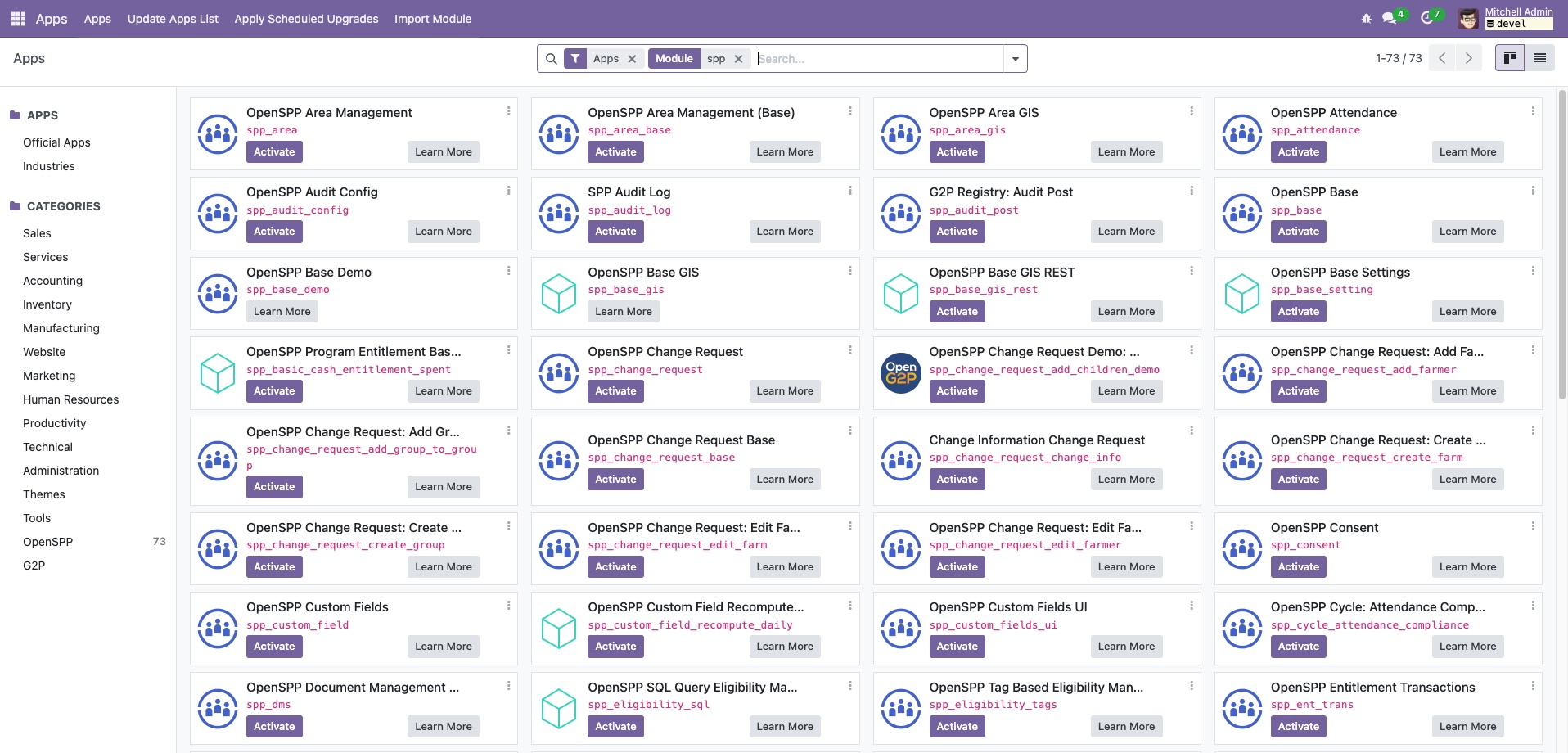
Navigate to the Apps menu.
Search for the desired module by its technical name or title. If the module does not show up, clear the default "Apps" filter from the search bar.
Click the Activate button on the module's card to begin the installation.
Restart OpenSPP after installing the modules:
sudo systemctl restart openspp
Note: The queue_job module, which is essential for asynchronous background tasks, is automatically installed as a dependency of the main OpenSPP modules. It is also pre-configured as a server_wide_module, ensuring that background workers can process jobs correctly after a service restart.
Common extension modules#
Data management:
Change request (spp_change_request) - Workflow for reviewing and approving data modifications
Data import (spp_registrant_import) - Bulk data import from Excel/CSV files
Manual eligibility (spp_manual_eligibility) - Manual beneficiary selection
Program features:
Cash rntitlements (spp_entitlement_cash) - Cash transfer calculations and management
In-kind distribution (spp_entitlement_in_kind) - Non-cash benefit distribution
Eligibility SQL (spp_eligibility_sql) - SQL-based targeting criteria
Integration & APIs:
REST API (spp_api) - RESTful API for external system integration
OpenID Connect (spp_oauth) - Single sign-on and authentication
DCI API Server (spp_dci_api_server) - Data Collection Interface API
Module dependencies#
OpenSPP modules often have dependencies that are automatically installed. Understanding these relationships helps with troubleshooting:
Core dependencies are always installed (e.g., spp_base_spmis installs registry modules)
Optional dependencies can be manually selected based on your needs
Conflicting modules will show warnings during installation attempts
Tip
Use the module's information page to view its dependencies before installation. This helps you understand what additional functionality will be added.
Troubleshooting#
Module not appearing in Apps list:
Ensure the
openspp-modulesdirectory is in your addons pathClick "Update Apps List" in developer mode
Check module folder naming matches technical name
Installation fails:
Check Odoo logs for specific error messages
Verify all dependencies are available
Ensure no conflicting modules are installed
Confirm Odoo version compatibility (17.0)
After installation issues:
Clear browser cache and reload
Restart Odoo service if menu items don't appear
Check user access rights for new features
Next steps#
After installing your modules:
Configure settings - Each module may add configuration options under Settings
Set up user permissions - Review and assign appropriate access rights
Import initial data - Use data import modules or APIs to populate your system
Test workflows - Verify the installed features work as expected
For detailed configuration guides for specific modules, see the User guide and OpenSPP modules.