 openspp.org
Farmer Registry installation
Farmer Registry installation#
OpenSPP Farmer Registry Base / spp_base_farmer_registry (available from 17.0.1.4)
The OpenSPP Farmer Registry configuration enables convergence between social protection and agricultural development programs. This setup is designed for organizations supporting smallholder farmers, managing agricultural subsidies, or implementing climate-smart agriculture initiatives.
What's included:
Farmer and farm household registration
Land parcel mapping with GIS integration
Crop and livestock tracking
Agricultural input distribution management
Seasonal cycle management
Integration with agricultural extension services
Installation steps:
Navigate to the Apps menu.
In the Apps menu, search for spp_base_farmer_registry or "OpenSPP Farmer Registry Base"
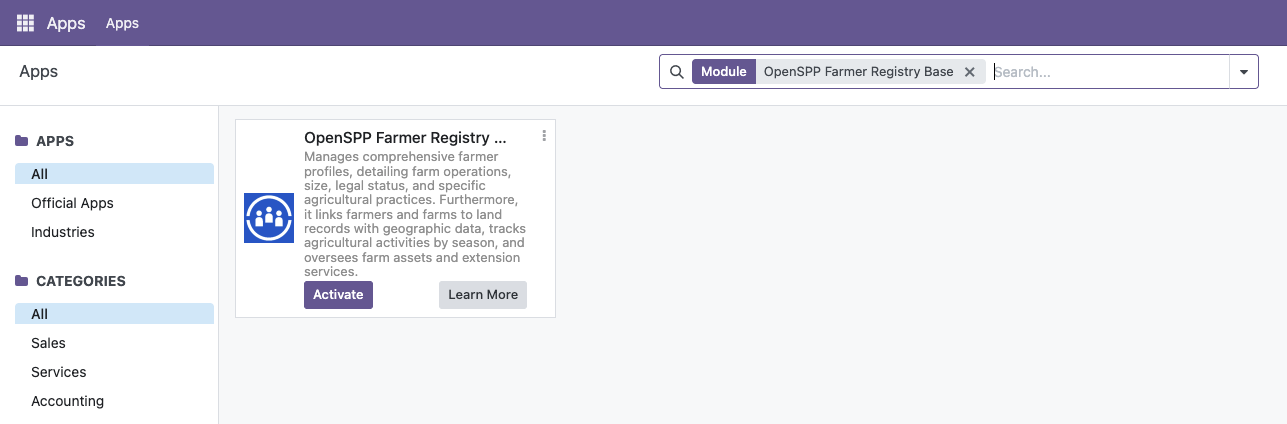
Click the Activate button to install the module and its dependencies.
Restart OpenSPP after installing the module:
sudo systemctl restart openspp
Note: The queue_job module, which is essential for asynchronous background tasks, is automatically installed as a dependency of the main OpenSPP modules. It is also pre-configured as a server_wide_module, ensuring that background workers can process jobs correctly after a service restart.