 openspp.org
Eligibility rules
Contents
Eligibility rules#
This guide is for implementers configuring eligibility rules to determine which registrants qualify for programs and benefits.
What is eligibility?#
Eligibility rules define who qualifies for a program. They translate policy decisions (e.g., "elderly citizens over 65" or "households with children under 5") into criteria that OpenSPP evaluates automatically against registry data.
        graph LR
    R[Registry] --> E[Eligibility Manager]
    E --> |Evaluate| M{Matches?}
    M --> |Yes| Q[Eligible]
    M --> |No| N[Not Eligible]
    Q --> P[Program Enrollment]
How eligibility works in OpenSPP#
Each program has an Eligibility Manager that controls how eligibility is determined. The manager uses CEL expressions (Common Expression Language) to define criteria.
Component |
Purpose |
|---|---|
Eligibility Manager |
Container for eligibility configuration |
CEL Expression |
The rule that determines eligibility |
Geographic Targeting |
Optional area-based restrictions |
Templates |
Pre-built expressions for common criteria |
Quick start#
To configure eligibility for a program:
Go to Programs → Programs and open your program
Click the Configuration tab
Find the Eligibility Manager section
Write a CEL expression or select a template
Review the match count and save
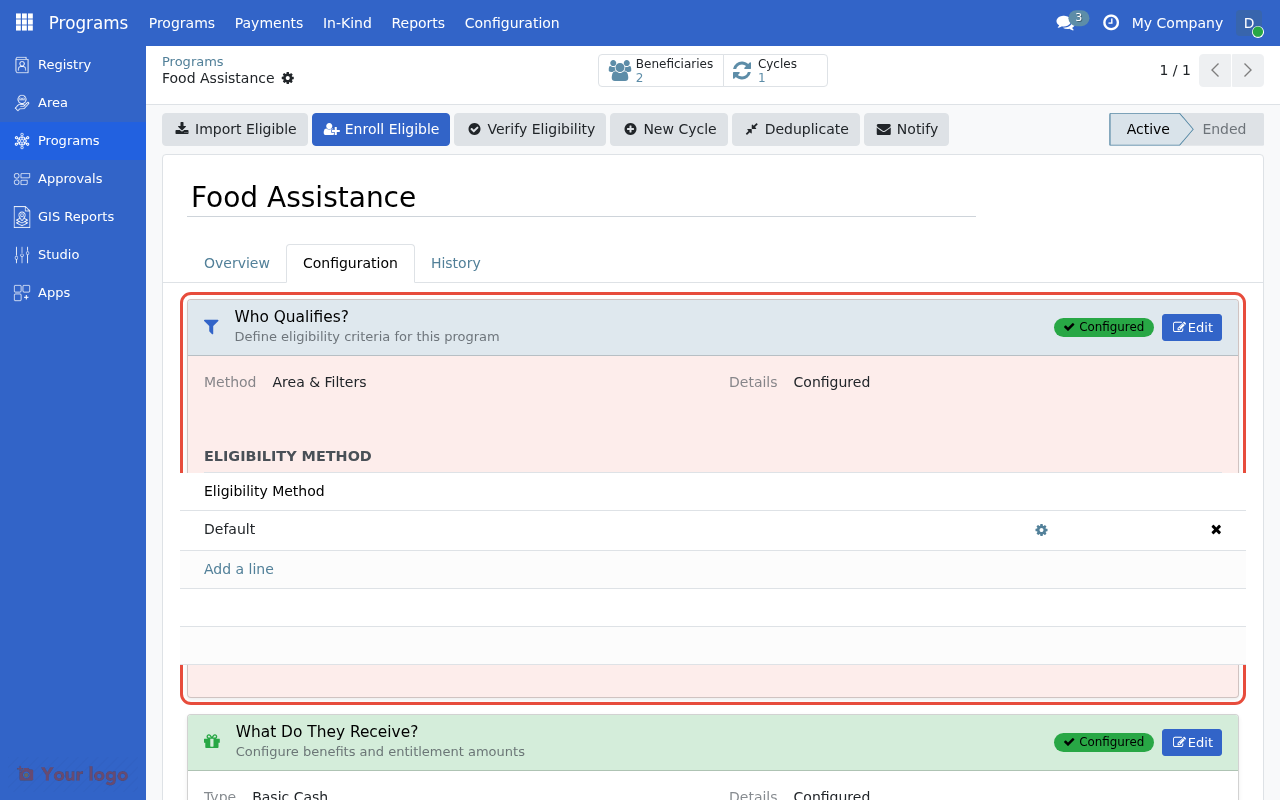
The Eligibility Manager section in the program's Configuration tab.#
What you'll find here#
Guide |
Description |
|---|---|
Write CEL expressions for eligibility criteria |
|
Target registrants by administrative area |
|
Use and create expression templates |
|
Validate and test eligibility rules |
|
Multiple managers, legacy options, performance |
Common eligibility patterns#
Program type |
Example expression |
|---|---|
Senior citizens (65+) |
|
Households with young children |
|
Female-headed households |
|
Large households |
|
Adult women |
|
See CEL expressions for eligibility for the full syntax reference.
Are you stuck?#
No registrants match my criteria?
Check that your expression uses the correct context (r for registrant, m for member iteration). Use the Preview Beneficiaries button to debug.
Expression shows an error?
CEL uses and/or (not AND/OR). Check parentheses and field names.
Need help with complex rules? See the Expression templates page for pre-built patterns, or CEL expressions for eligibility for the full syntax reference.